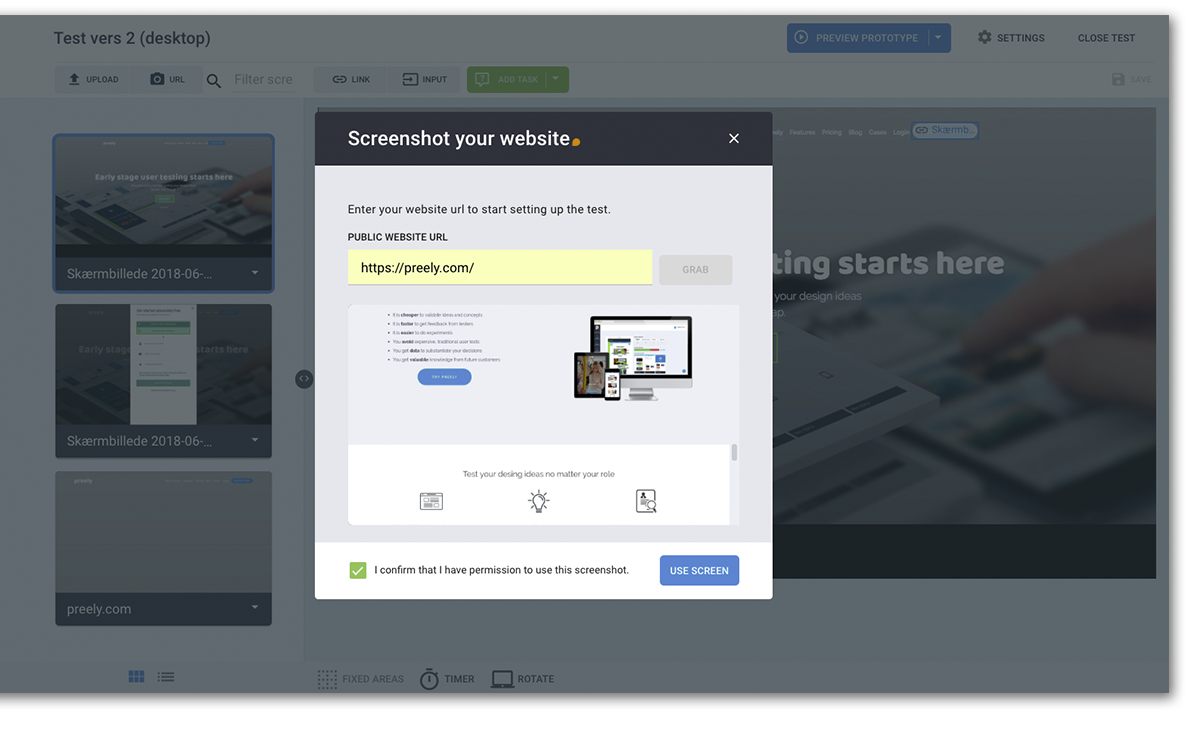
Grab your design with URL
Put your website to the test with one-click URL upload. Discover flaws and find new ways of optimizing your website with the new URL upload feature.
We’ve added a new way for you to start working with Preely even faster. You can now import screenshots in full length of your website just by entering the URLs you’d like to import.
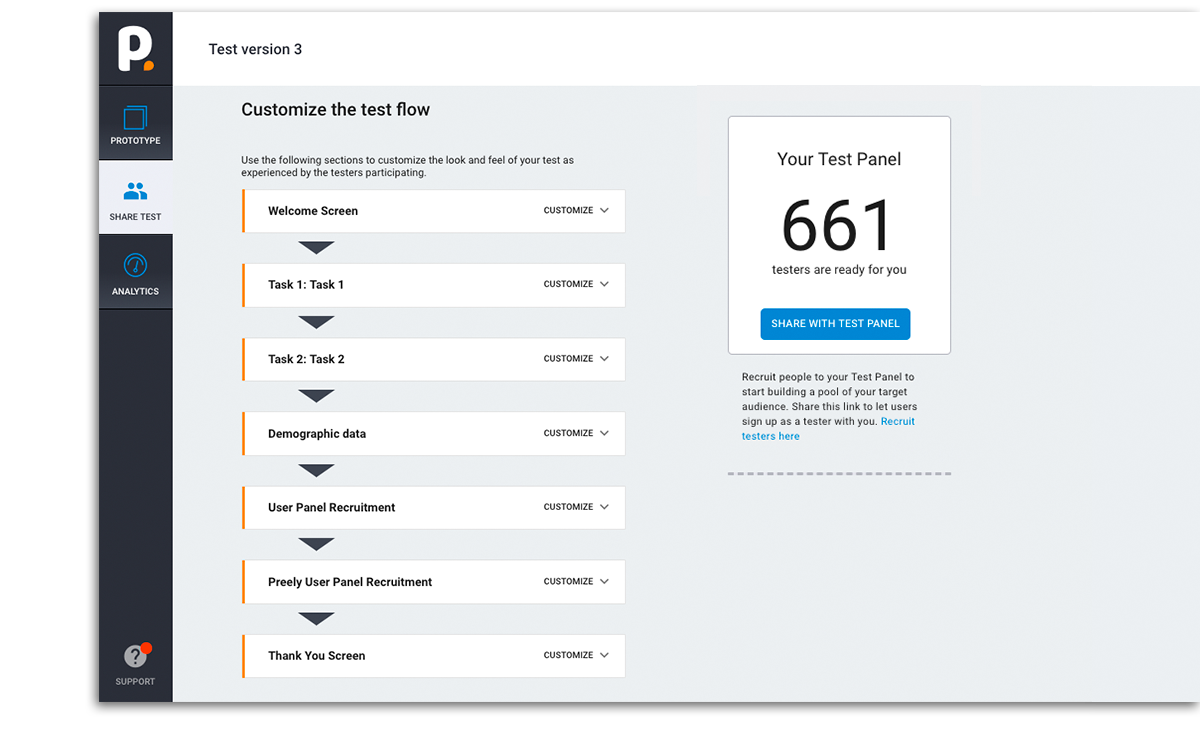
Customize your test flow
Make sure you set up the right thing for your testers. Use sections to customize the look and feel of your test as experienced by testers participating.
You now have full control of the steps your testers go through when taking your test. Write a welcome and thank you text, enable/disable user panel recruitment etc.
Preview test, prototype or task
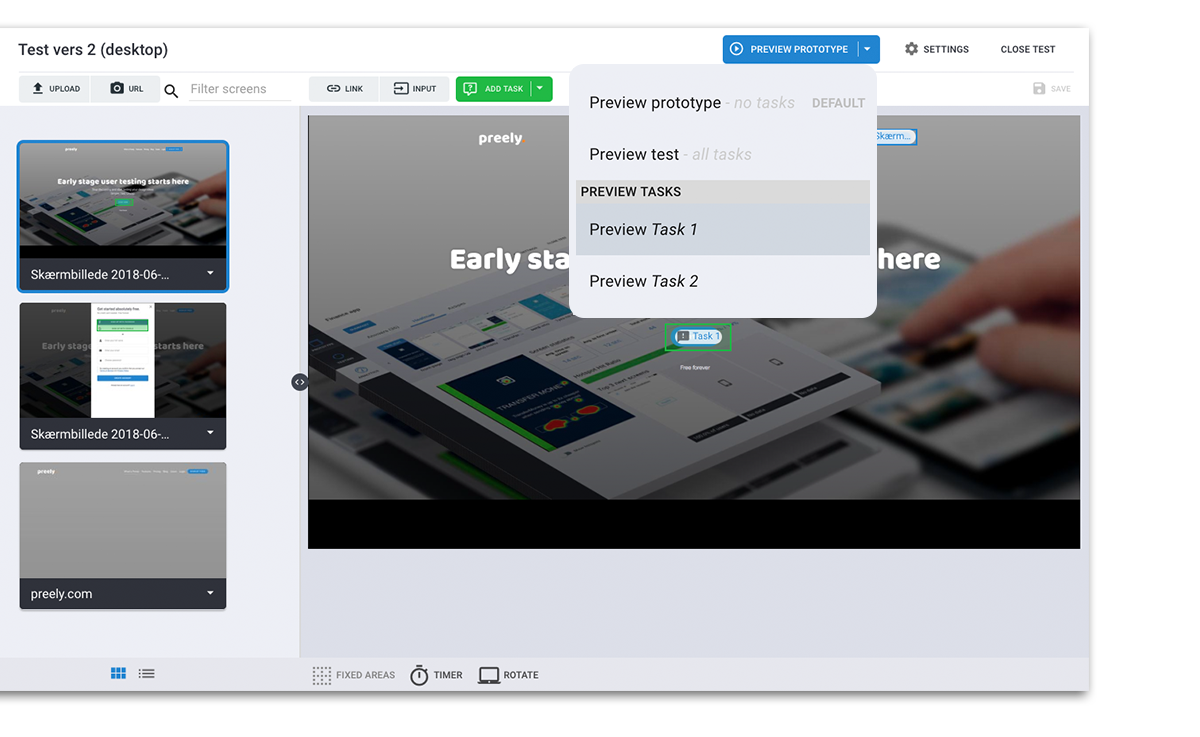
When setting up your prototype with links, hotspots and tasks, you sometimes need to check if you´re still on track. We now made it possible to preview your prototype plain without any tasks or with tasks. If you set up more than one task, you can preview this task seperatly so that you don´t have to go through every task to see just one.
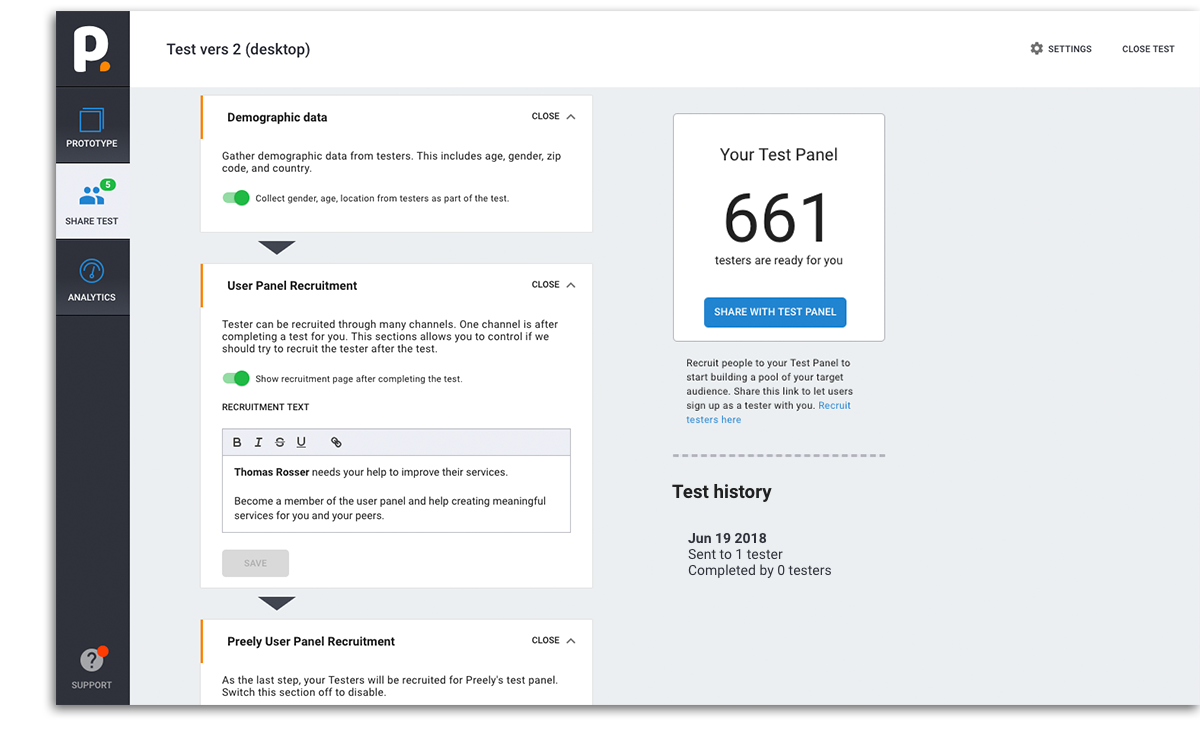
Control your testers
Recruitment of testers can be a confusing matter if you can´t control the process. Therefore the recruitment of testers is now controlled through the customizaton of the test flow – enable/disable collection of demographic data and showing of recruitment page after completed test. Or through the segmentation panel when sharing your test.
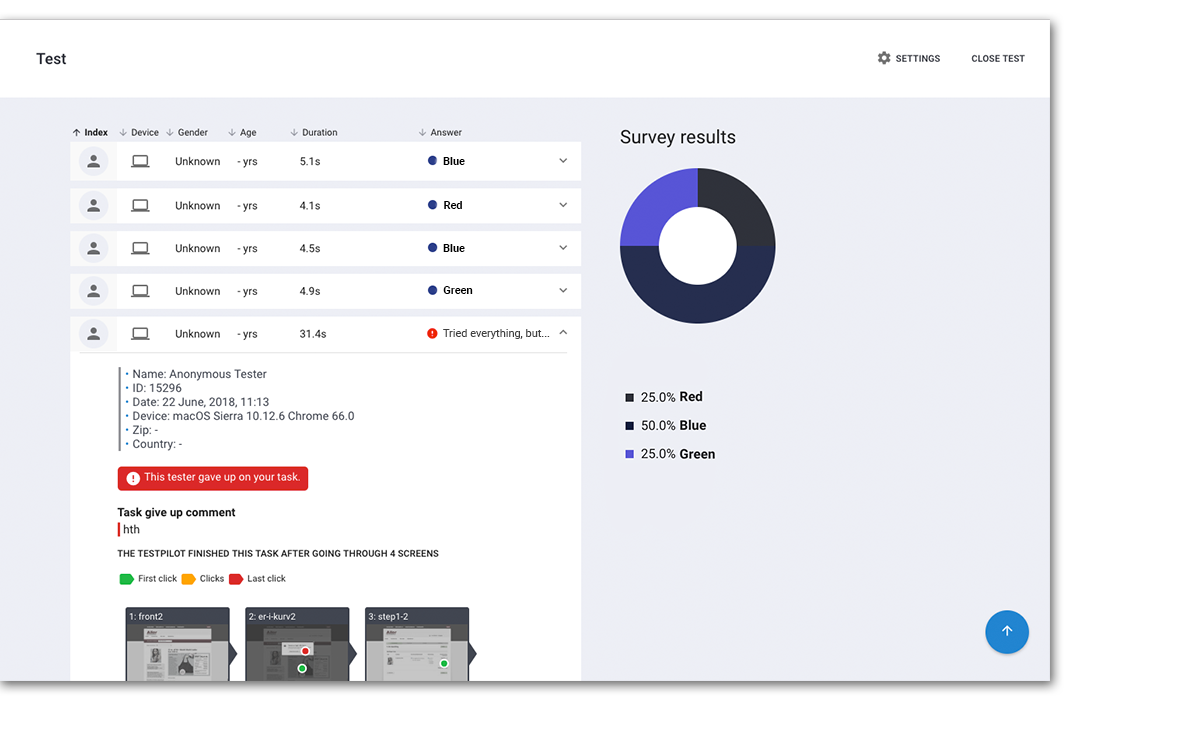
The "I give up" button
During a test, a tester can be forced to give up and this is why we made the 'Give up' button. You might have used all your UX, UI or CX skills, but the tester can't figure out what to do. To prevent the tester to just shut down and do something else, there's a possibility to hit the orange task button and then 'I give up' and elaborate with a reason why. In analytics 'I give up' will be marked with red with a comment on why.