October 2020 Release
(version 5.3)
Test flow overview
We have combined everything you need to create your test in a single screen. This way you get an overview of every step in your test while creating it, while also being able to dive into each step to edit them.
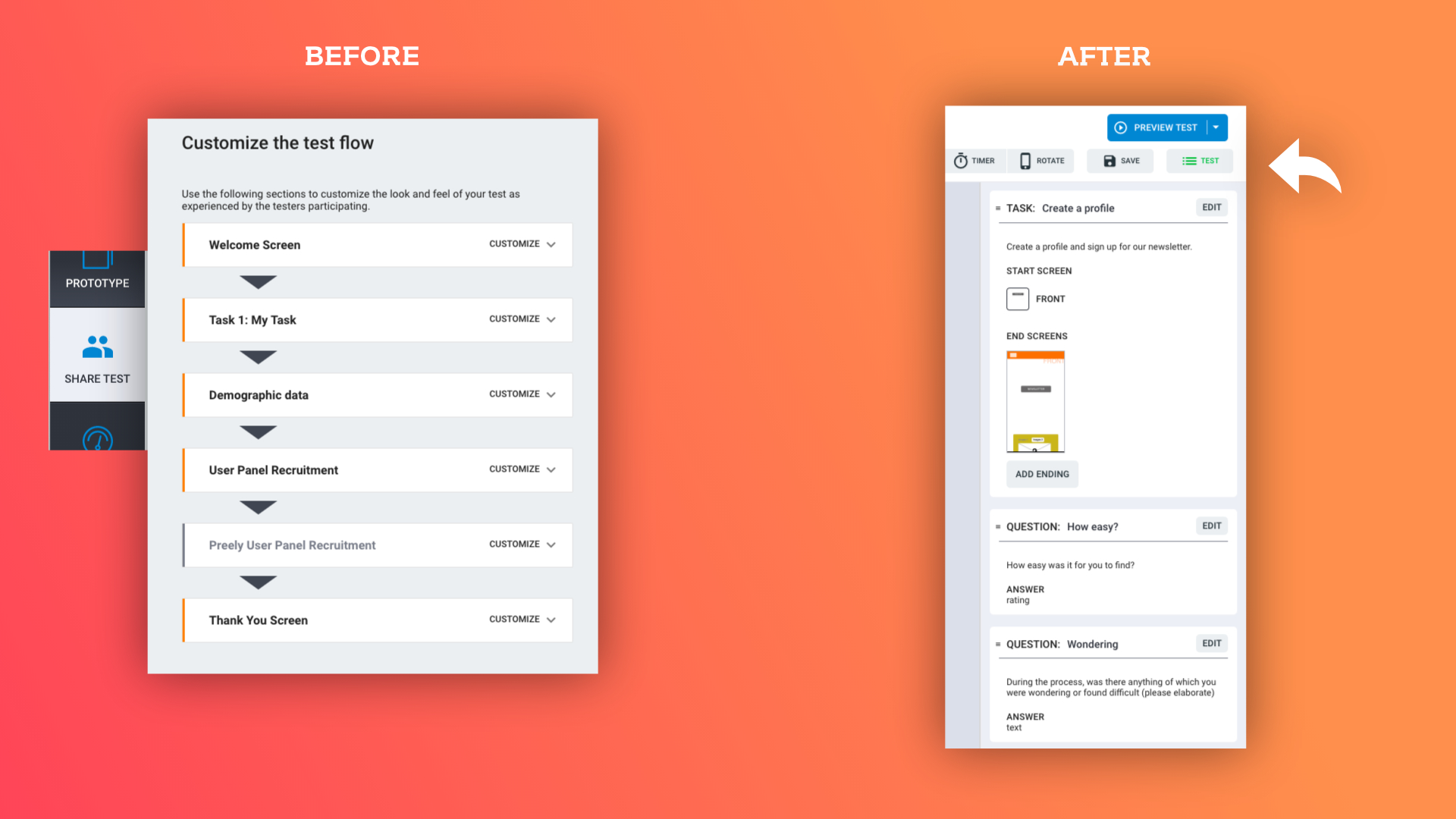
Test flow - before and after
New approach to tasks and questions with option for multiple questions
We have separated tasks and questions into separate topics, which means that you can now add all the questions you want to a test.
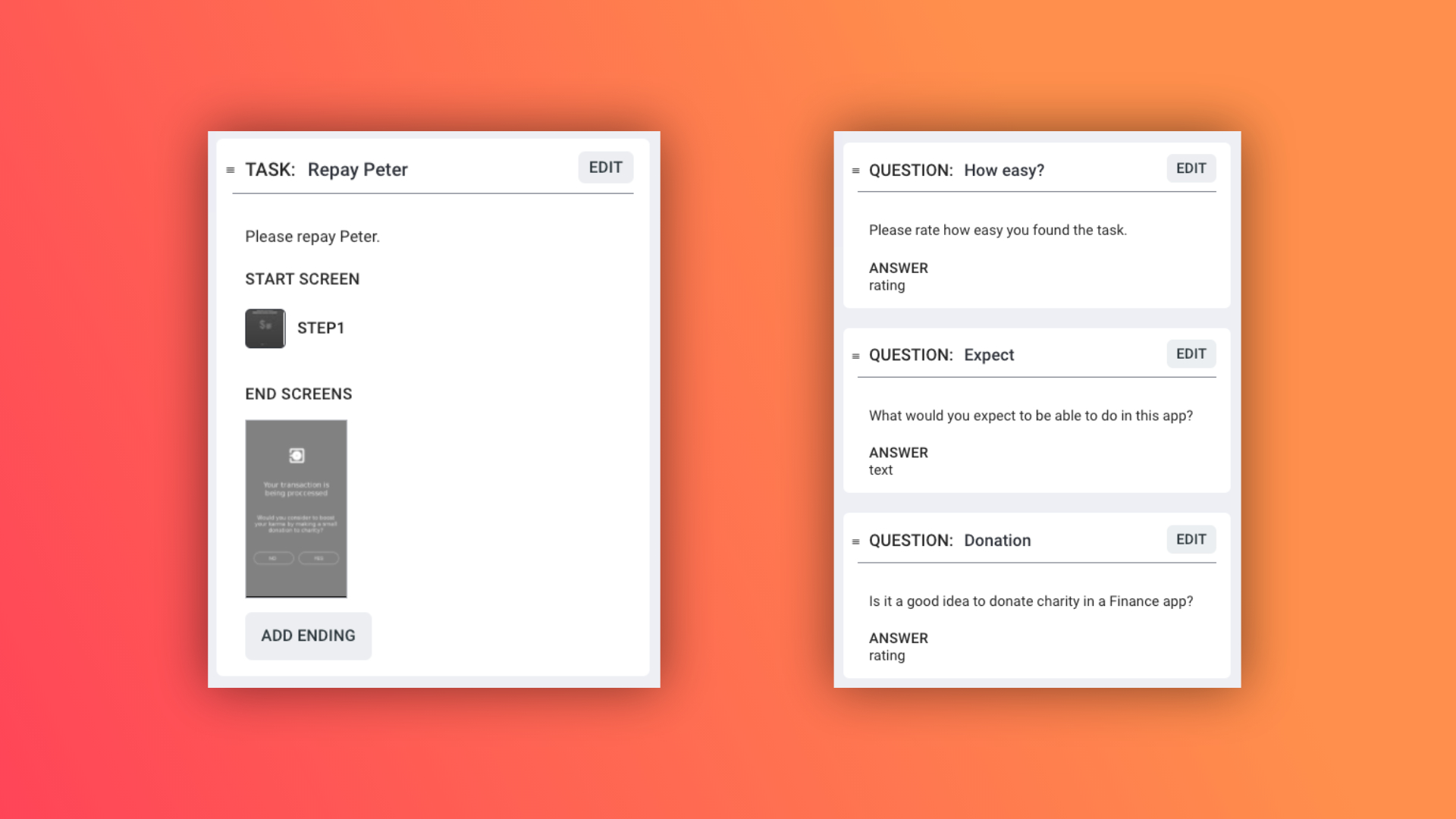
A task with multiple questions
New answer types
We have included options to insert Likert Scales, Semantic Differential Scale, and Smiley rating. More types to come in the near future.
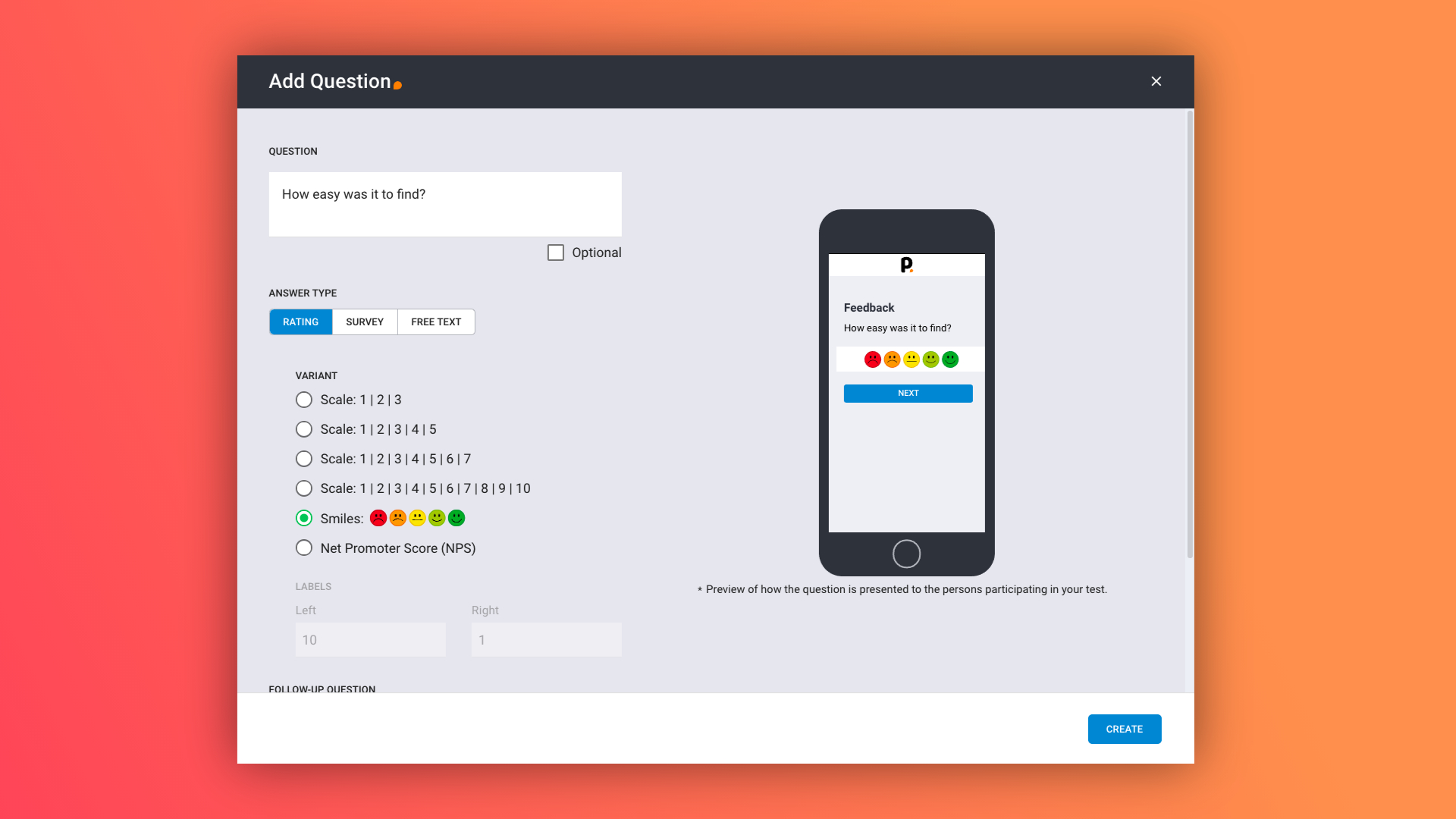
The new answer types
For rating you decide the labels - making it either a Likert scale or Semantic Differential Scale
For rating you decide the labels - making it either a Likert scale or Semantic Differential Scale
Analytics layout updated
In Analytics we now display results and insights under each task or question, corresponding to the test flow you have created.
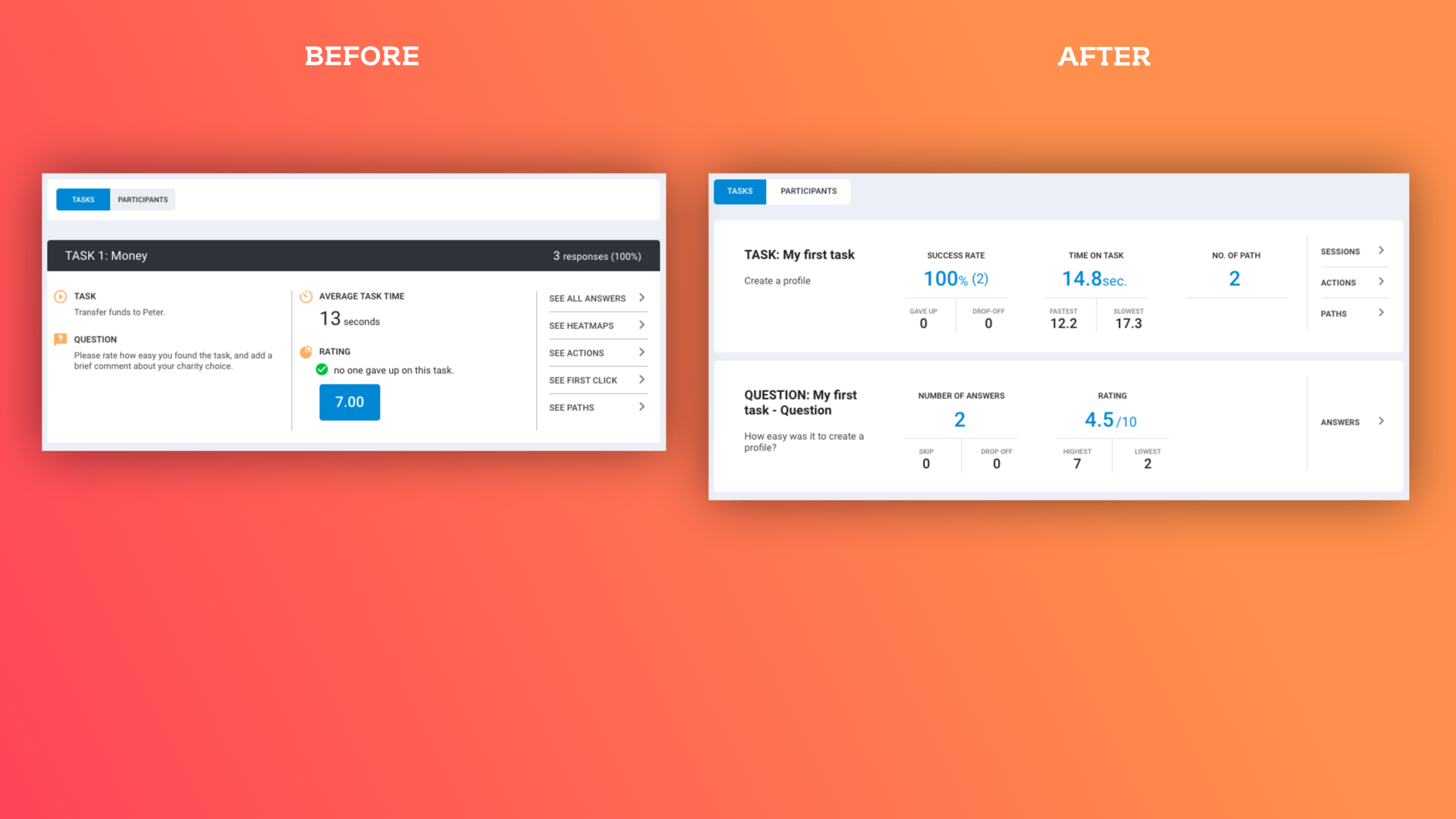
Analytics - before and after
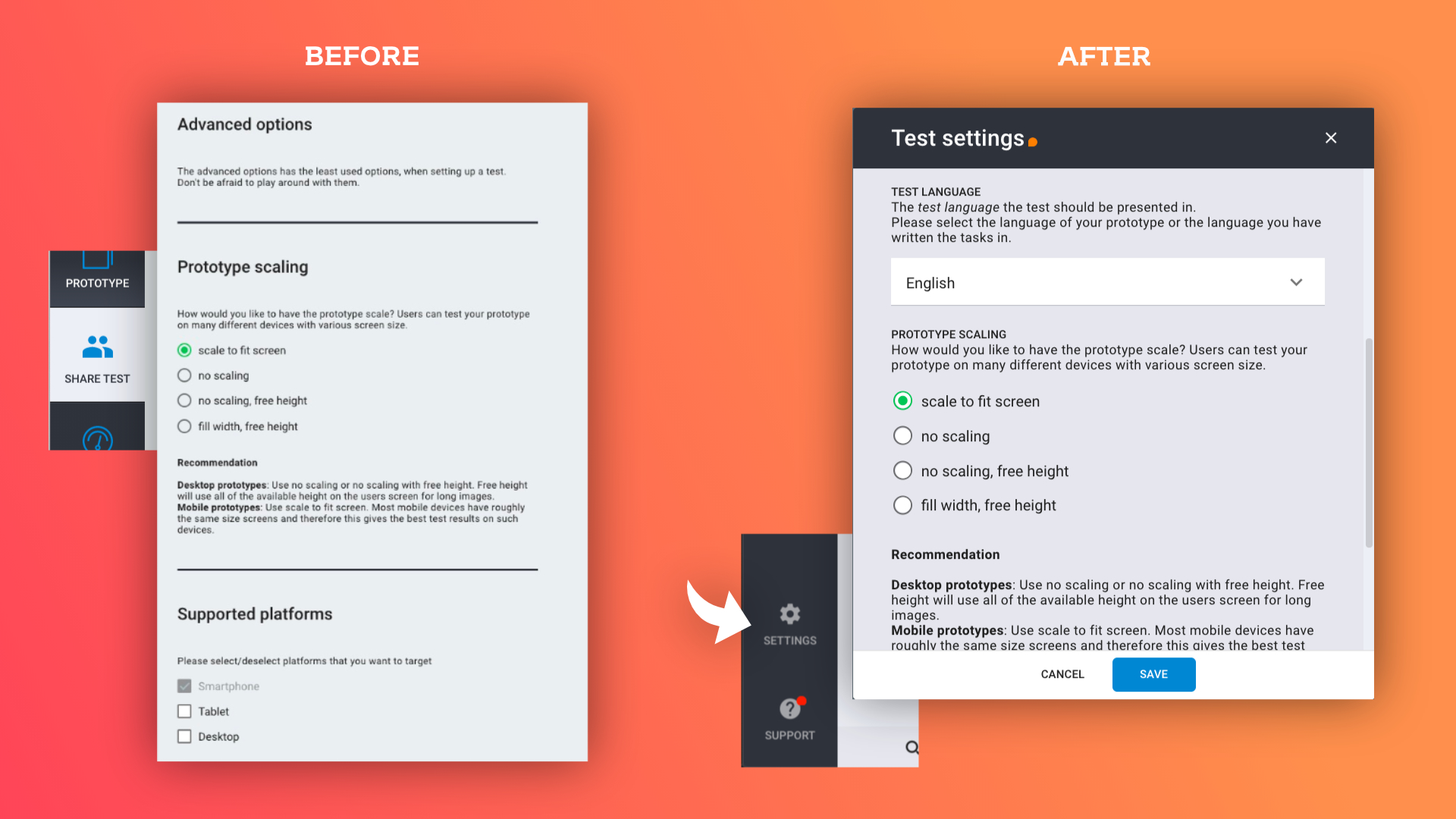
Settings has been moved and modified
Last, but not least, we have started a bit of cleaning up. Settings has moved to the left panel and now contains all the advanced settings for your test.
Watch Video...
Watch this short video for a quick introduction to setting up a test in 2 minutes.