Once you have finished your prototype, click the “Tasks” button to create a task that you want your testers to complete.
Step 1. New task
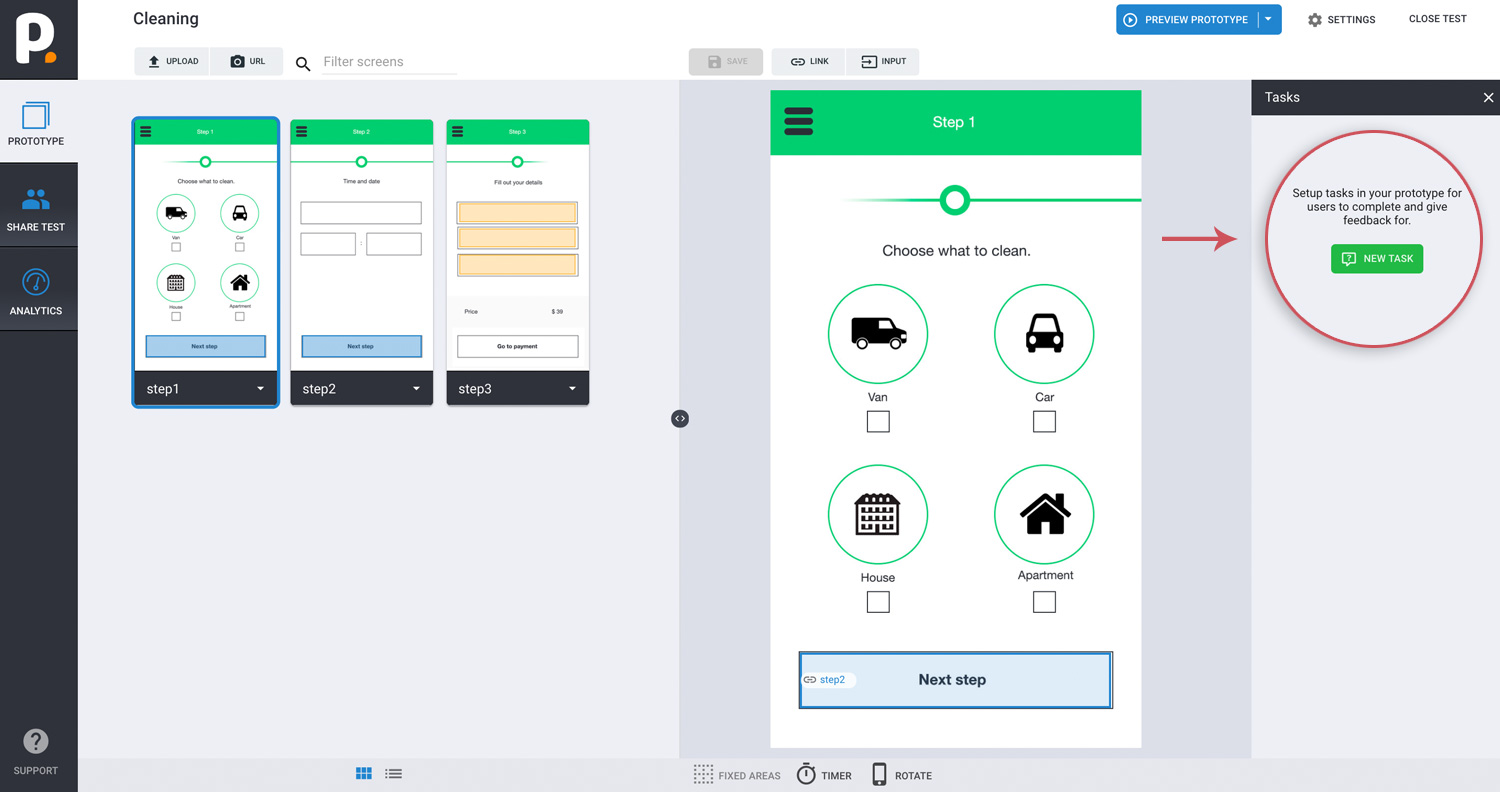
Click NEW TASK, fill out task-related questions in step 3-4, and choose the type of feedback you would like.
Step 2. Describe the goal.
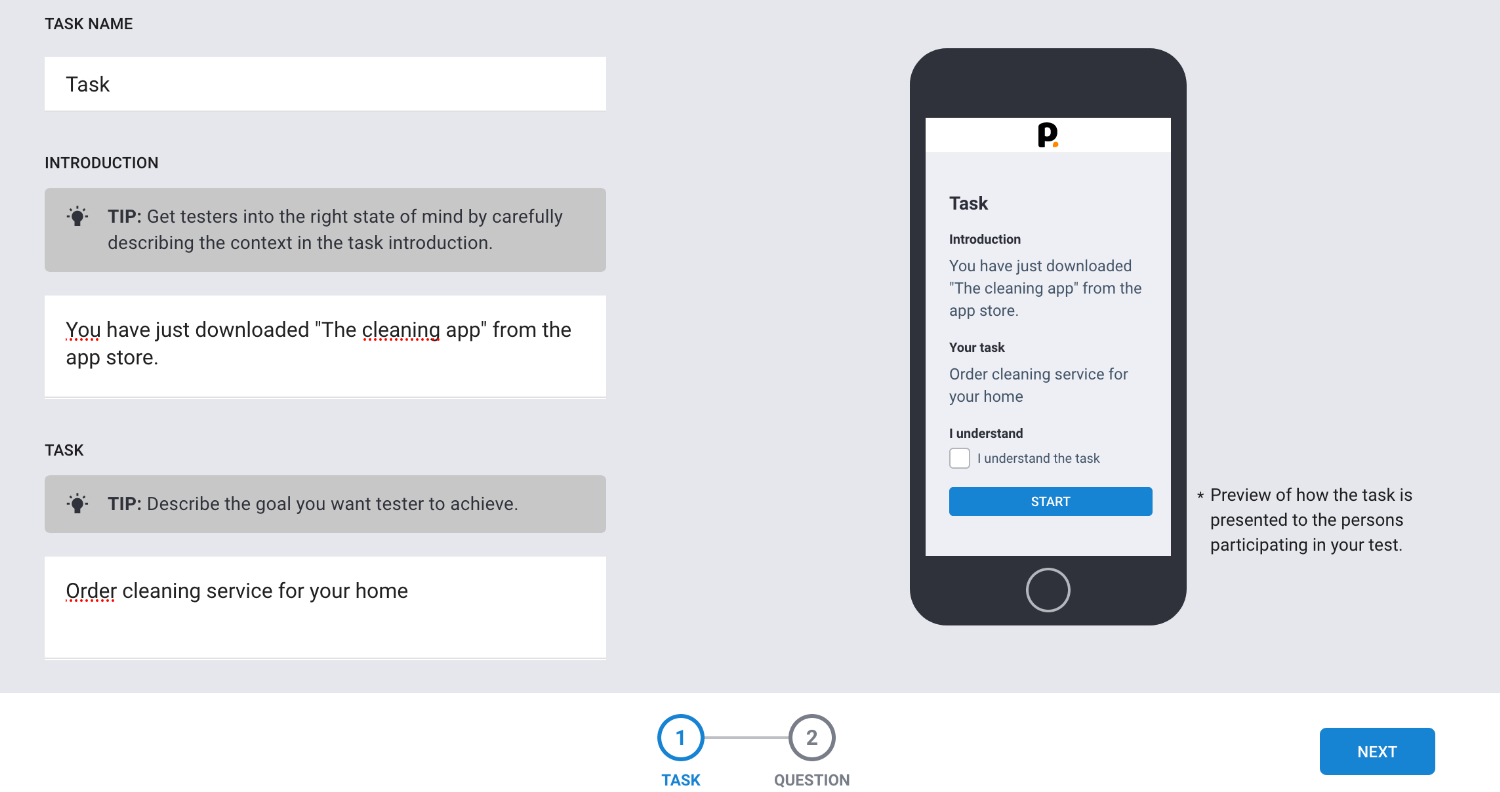
First get testers into the right state of mind by carefully describing the context in the task introduction. Then you describe the goal you want tester to achieve.
Step 3. Write the question.
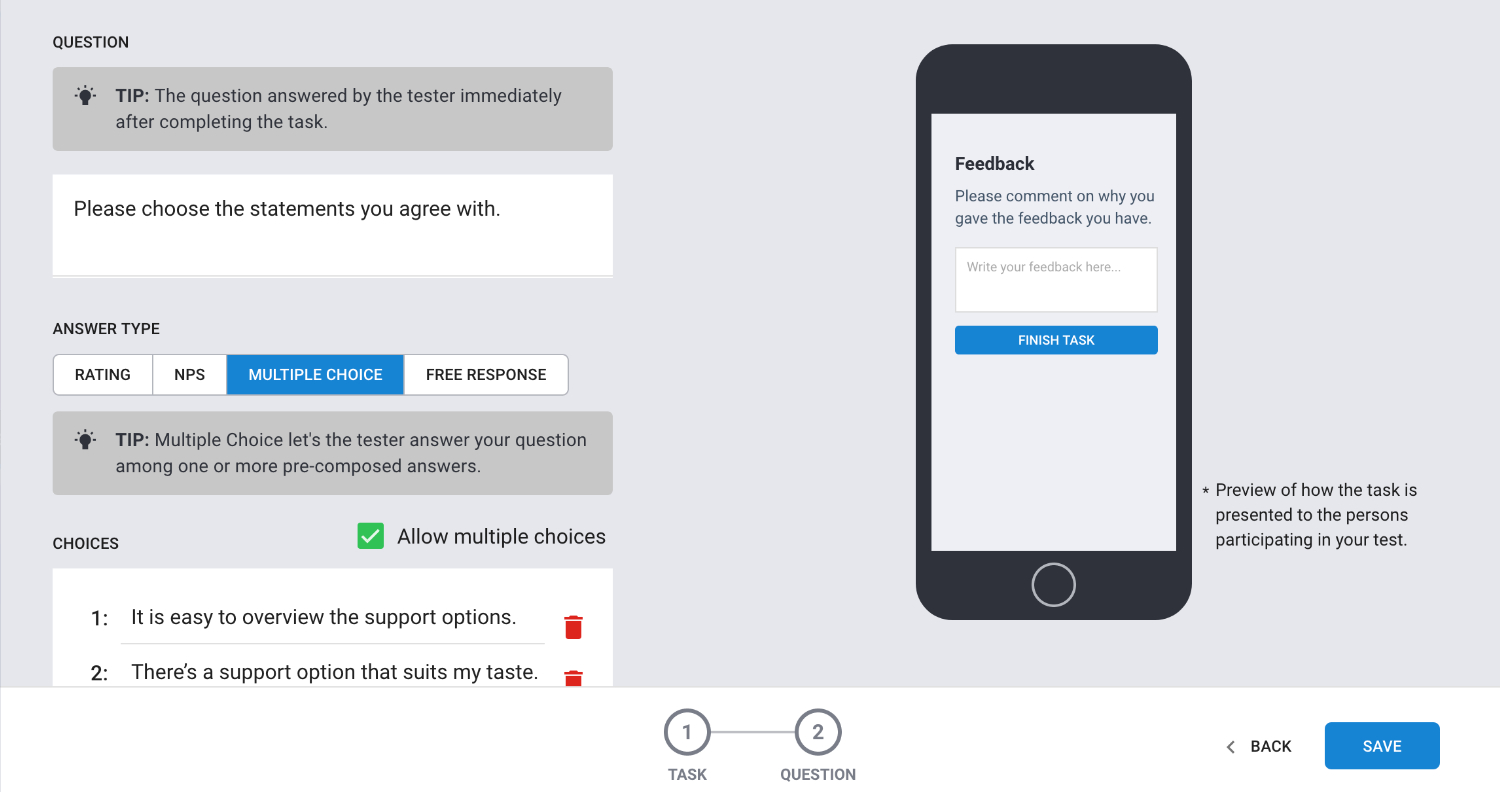
Write the question answered by the tester immediately after completing the task.
Choose answer type. Could be multiple Choice where you let's the tester answer your question among one or more pre-composed answers.
Step 4. Write follow-up question.
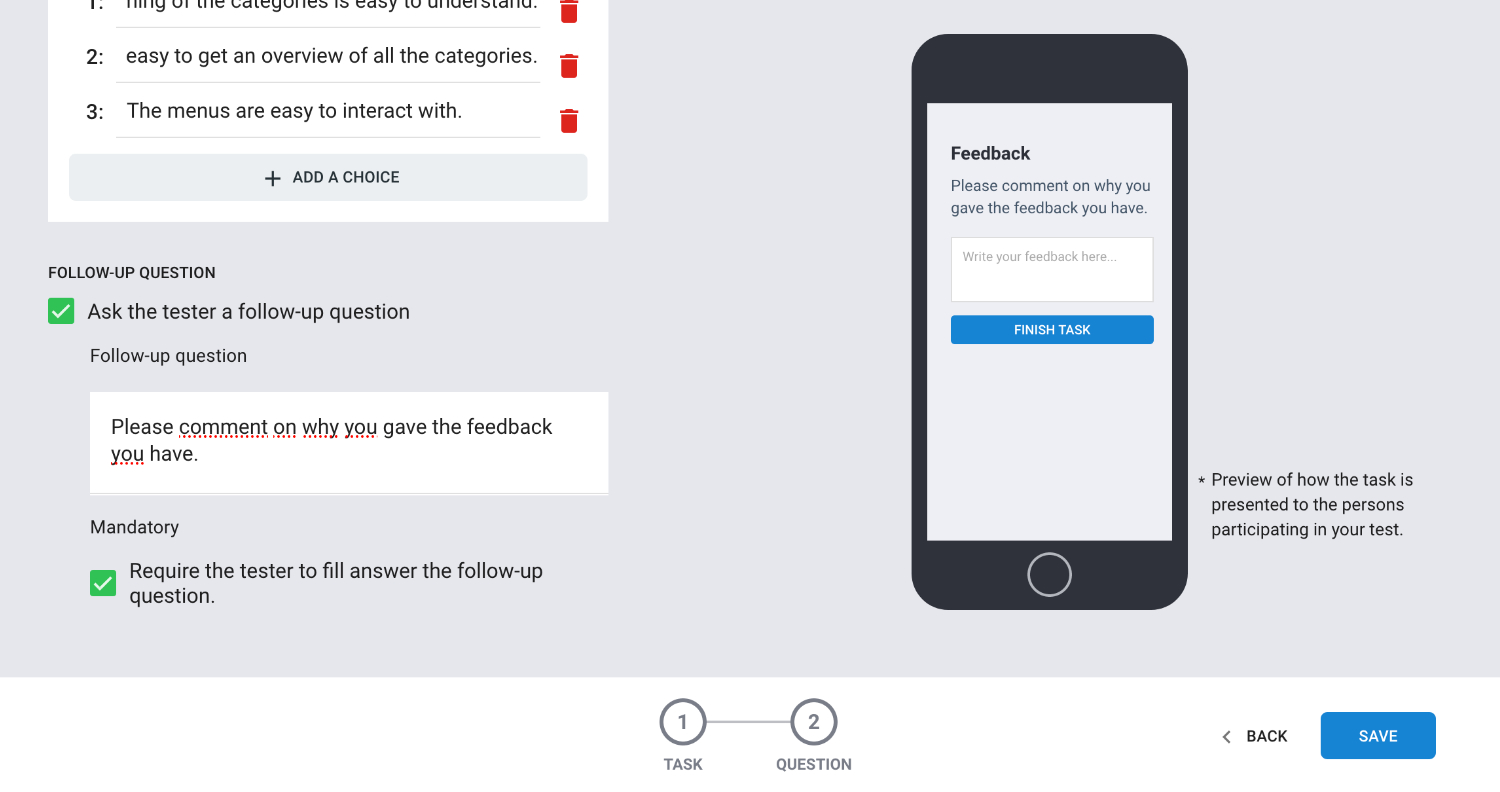
Ask the tester a follow-up question. You can create an extra question in the same task. The follow up question can be marked as required to force an answer.
Click SAVE. Done!
Get inspired. Read about: Ask the right question
Get inspired. Read about: Exsamples on how to write a good question.
Step 5. Choose hotspot trigger.
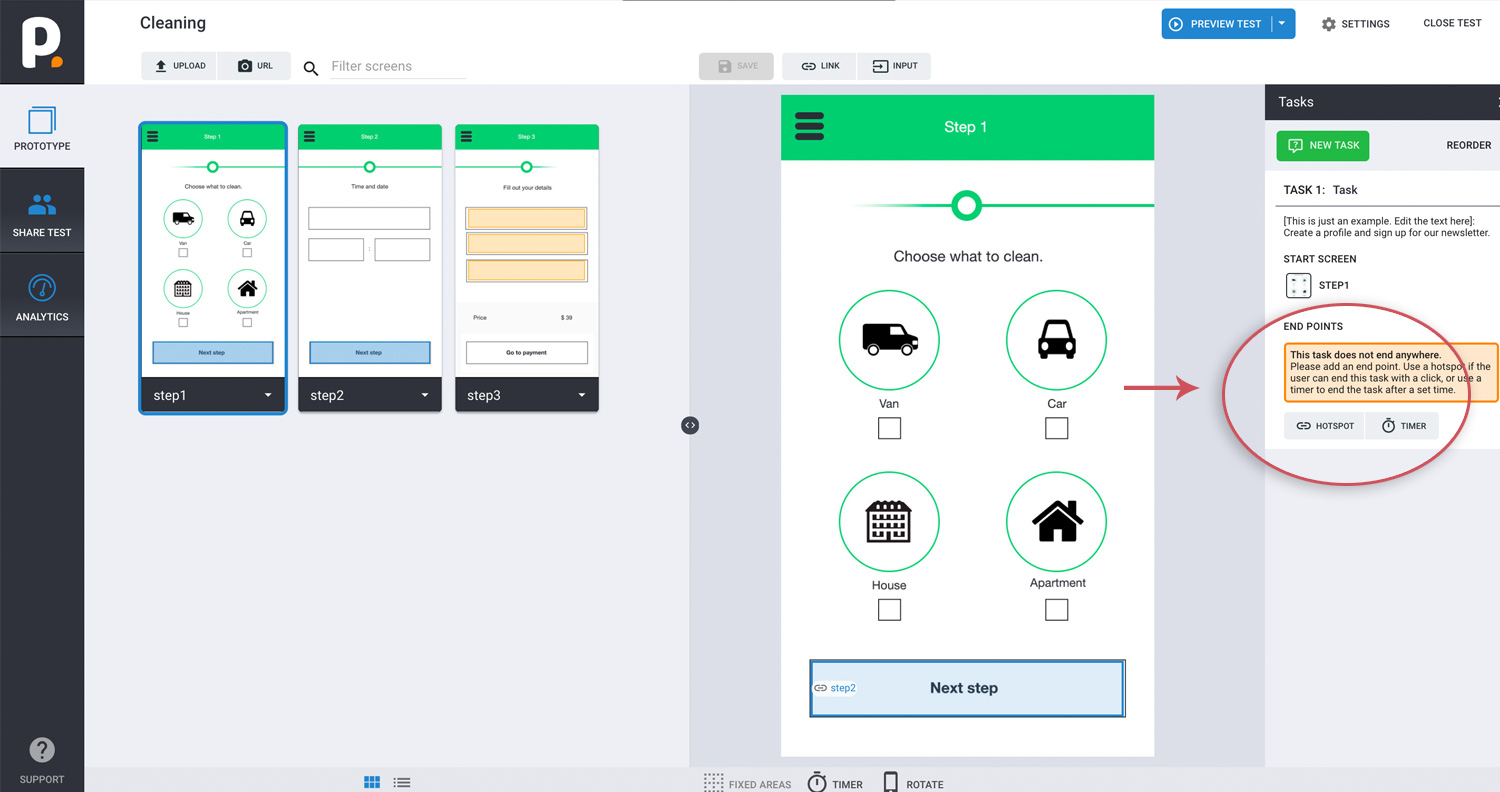
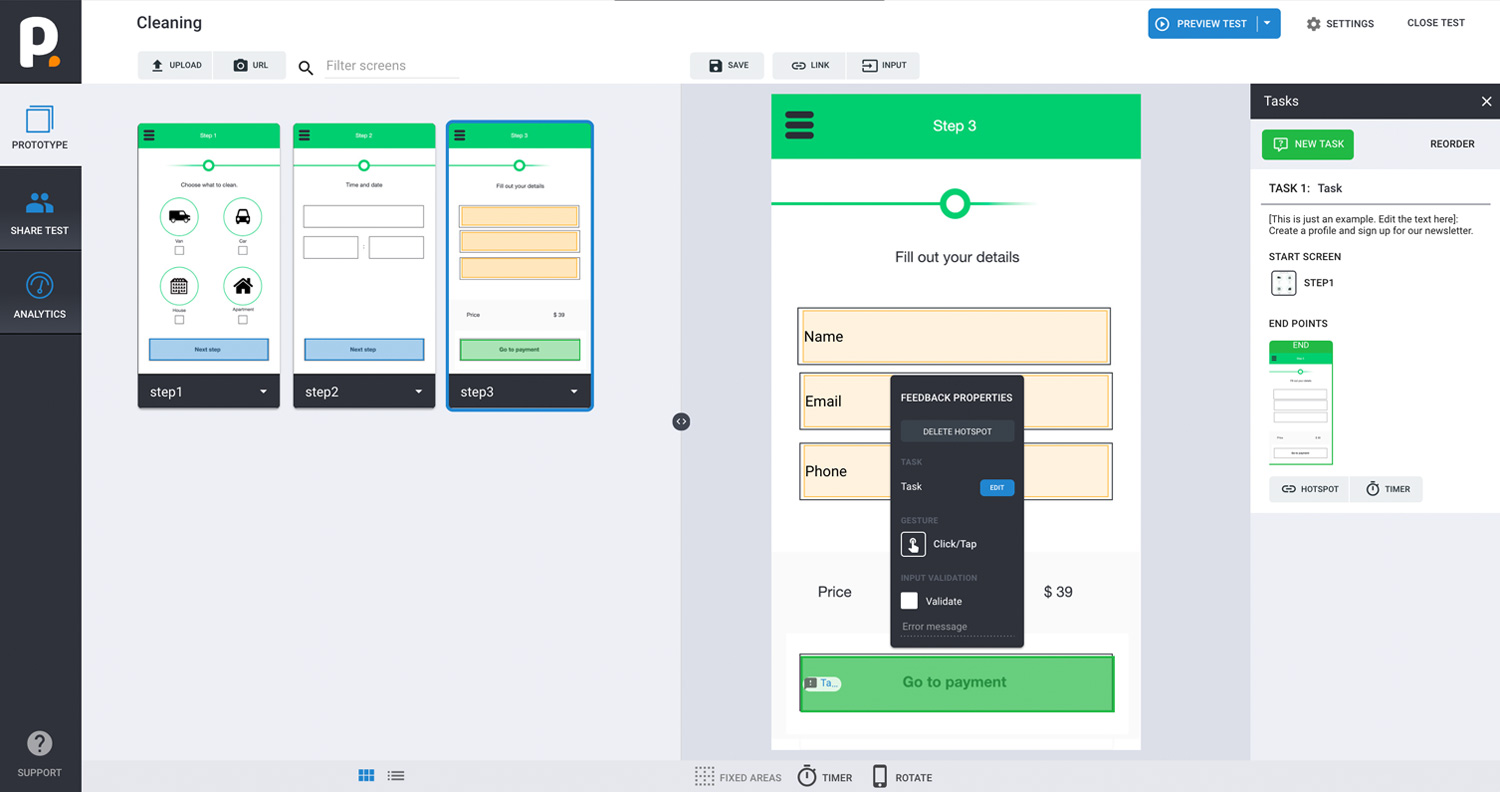
Choose the end screen and then choose hotspot trigger. And a green hotspot is automatically added to your screen. Clicking the hotspot will terminate the test and ask the test participant for feedback. Insert as many endpoints as you what.
Tips
Do you want your testers to complete multiple tasks in one test? Just add more tasks to your prototype.
That’s it! Now you are ready to test!