In a five second test, the test participant is shown a screenshot for precisely five seconds and afterward is asked to answer questions about the design.
You can run the test on websites, apps, software or any other digital product with a user interface.
With a five second test, you can identify:
- How does your UI design communicate your message?
- How easy is the offering or purpose of the product identified?
- Are your navigational items and essential features standing out?
- What is the overall impression of your design?
Watch Video...
Watch this short video for a quick introduction to setting up a test in 2 minutes.
Step-by-step guide to setting up a 5-second test with Preely
Step 1. Create your prototype
From the start screen, click “create test,” choose a native device to test on, and upload the screenshot, import a InVision protototype, or other sync with, Figma, Adobe or your Sketch project.
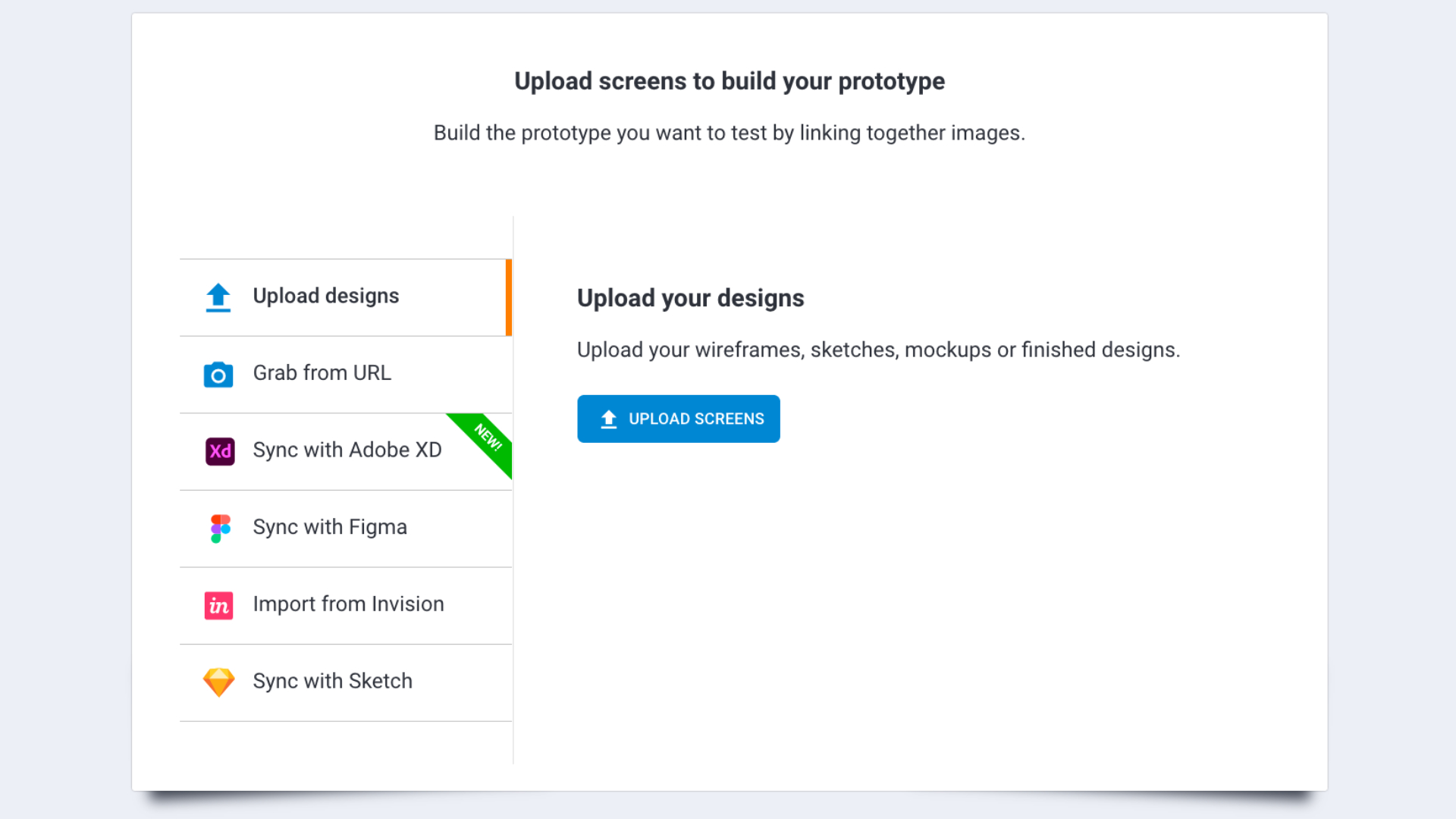
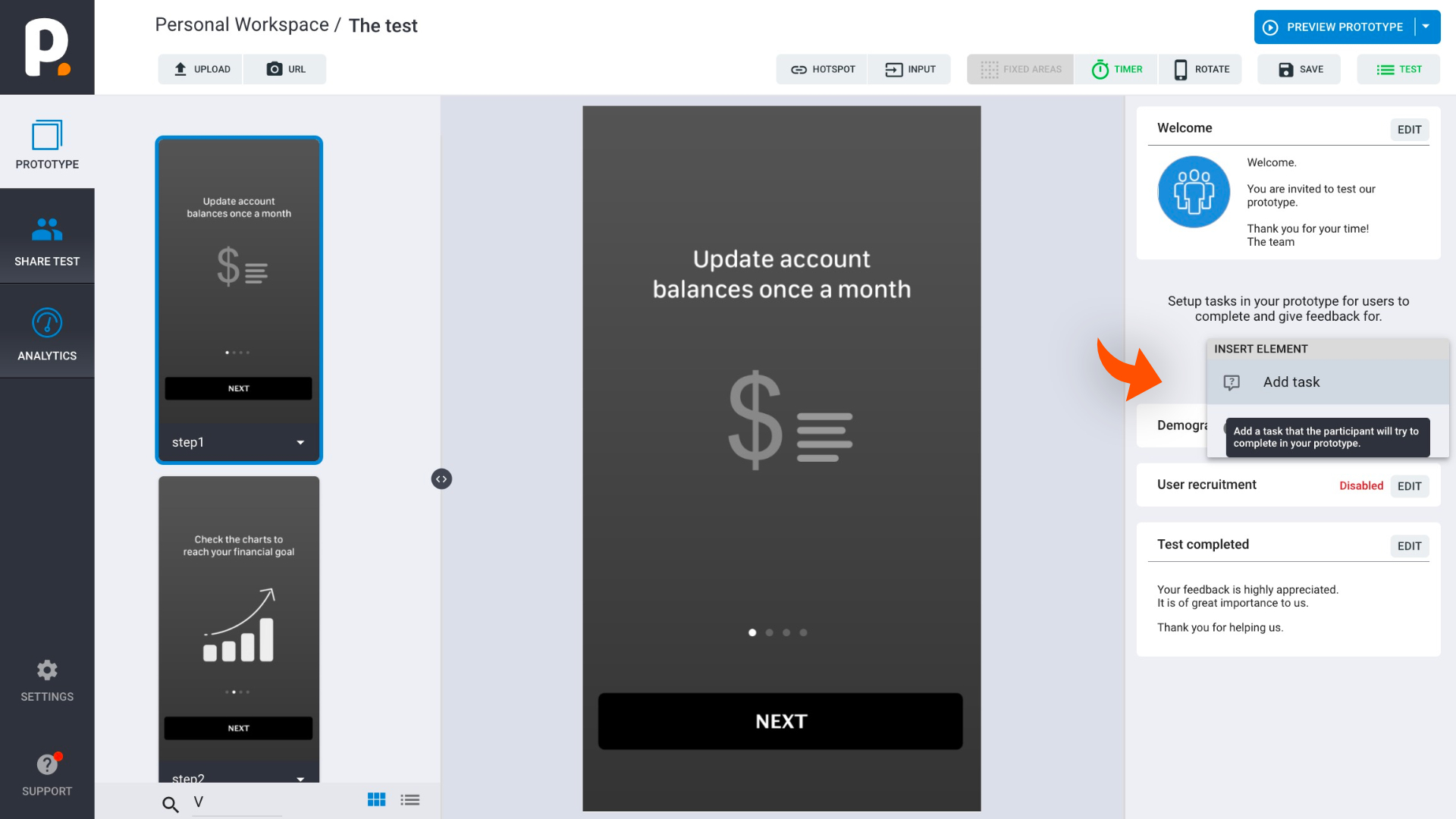
Step 2. Add task
Click add task, fill out task-related questions in step 1-2, and choose the type of feedback you would like.
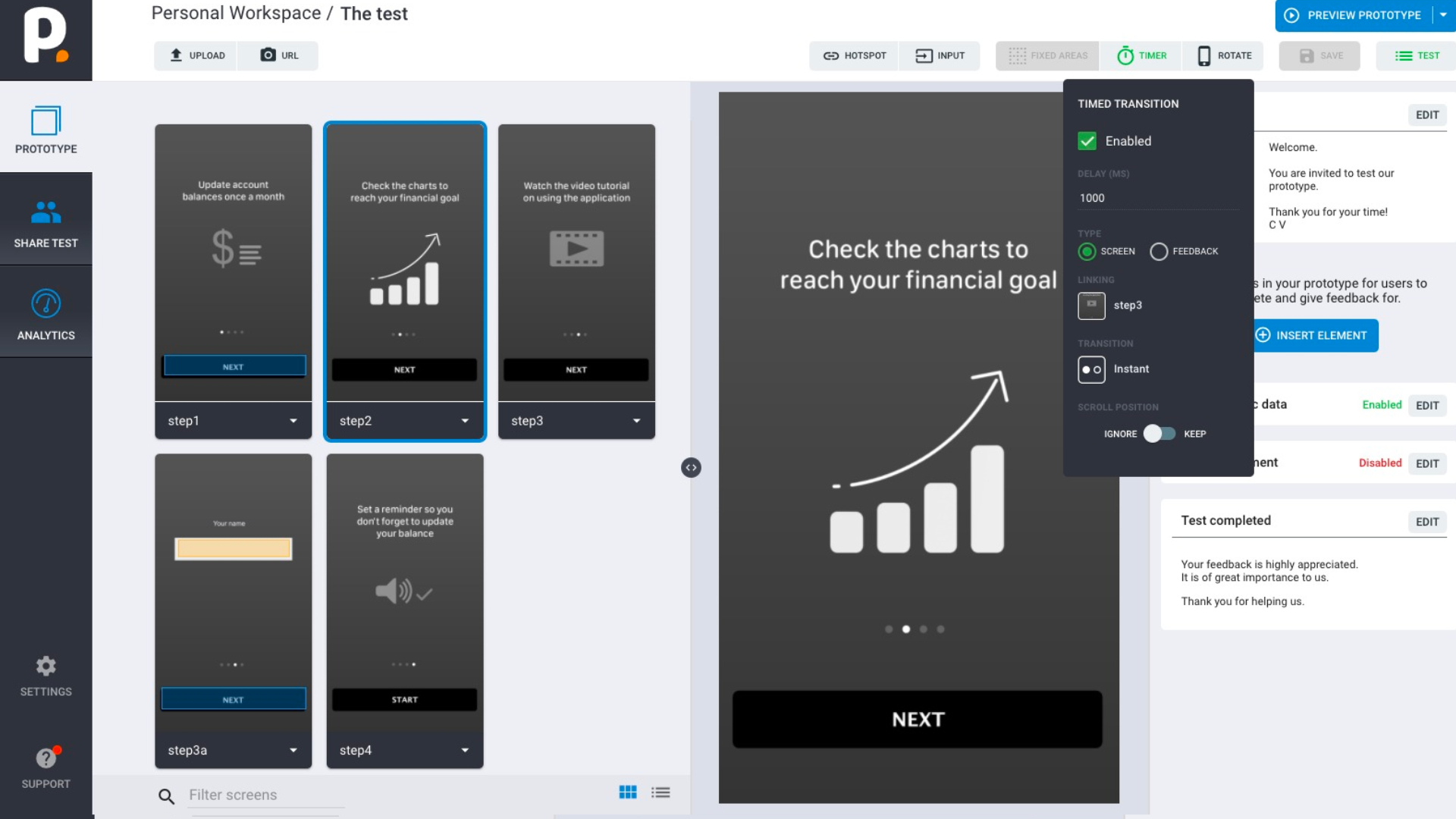
Step 3. Set timer
In step 3, choose trigger type: timer, and set the timer for 5 seconds (can be adjusted for your needs).
Five second test feedback types
Free text response
Ask the user to write a free text response to your question and get raw, unfiltered feedback for you to learn from.
Multiple Choice
Get specific and set up a multiple choice to learn if users noticed or didn't notice exactly what you need them to.
Rating
Need to get a simple thumbs up or thumbs down to go to next iteration? Ask users to rate your design on a scale of 1-10.