You can run the test on websites, apps, software or any other digital product with a user interface.
With a this test, you can identify:
- How does your UI design communicate your message?
- How easy is the offering or purpose of the product identified?
- Are your navigational items and essential features standing out?
- What is the overall impression of your design?
Step-by-step guide to setting up a test with Preely
Step 1.
From the start screen, click “create test,” choose a native device to test on, and upload the screenshot, wireframe, mockups or other images you intend to test on.
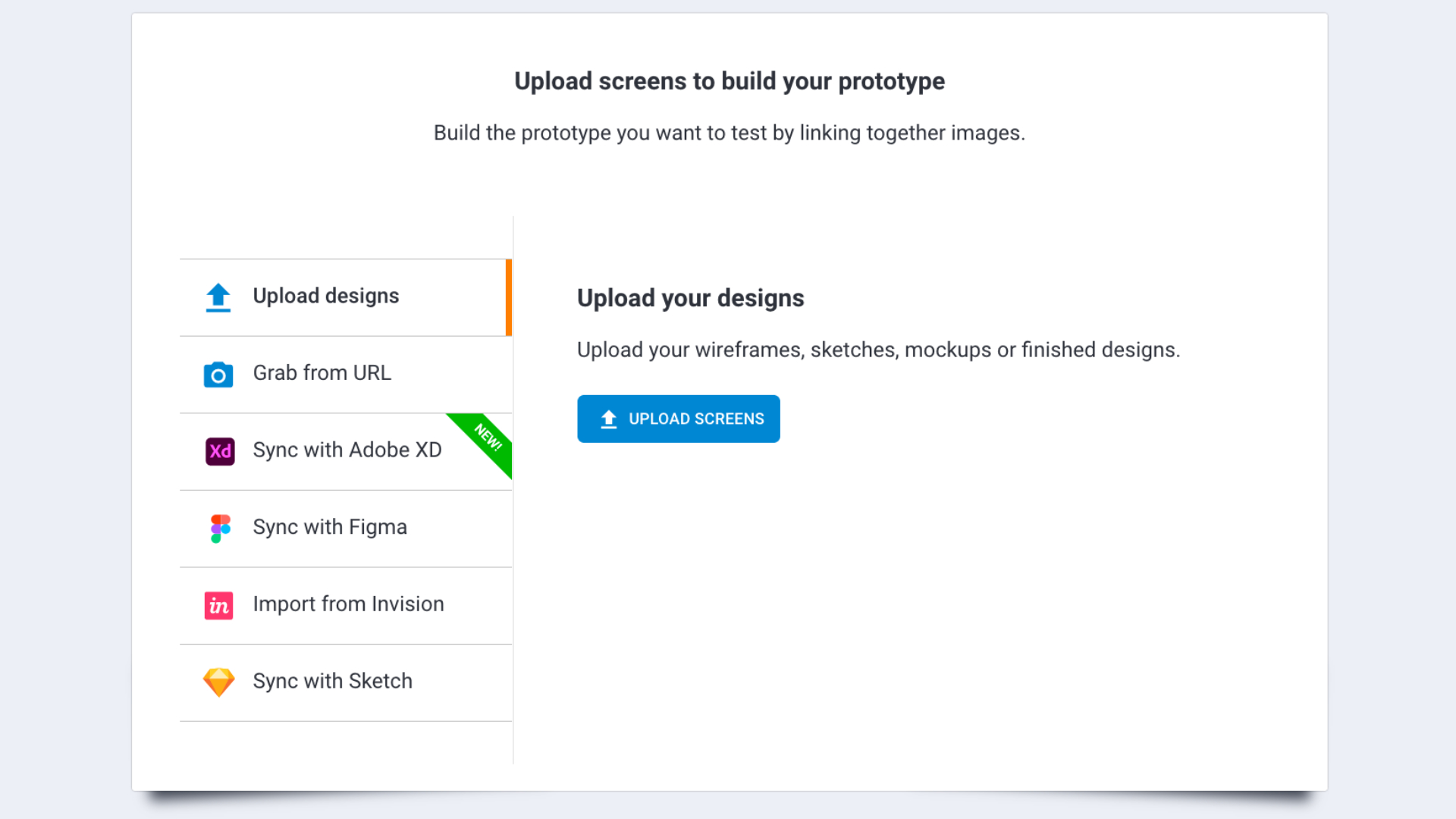
Step 2
Click add task, fill out task-related questions in step 1-2, and choose the type of feedback you would like.
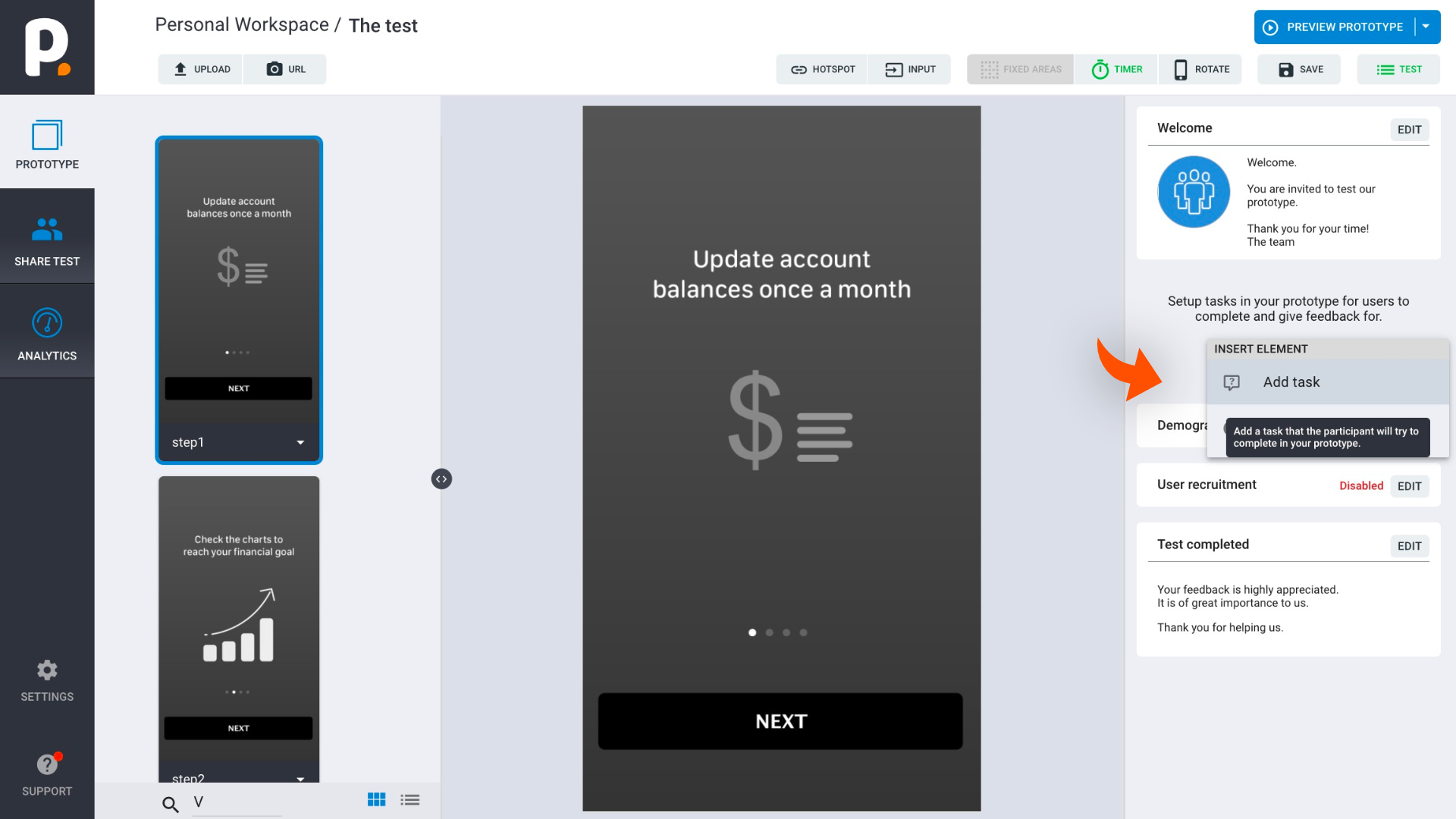
Step 3
In step 3, choose trigger type: timer, and set the timer for 5 seconds (can be adjusted for your needs).
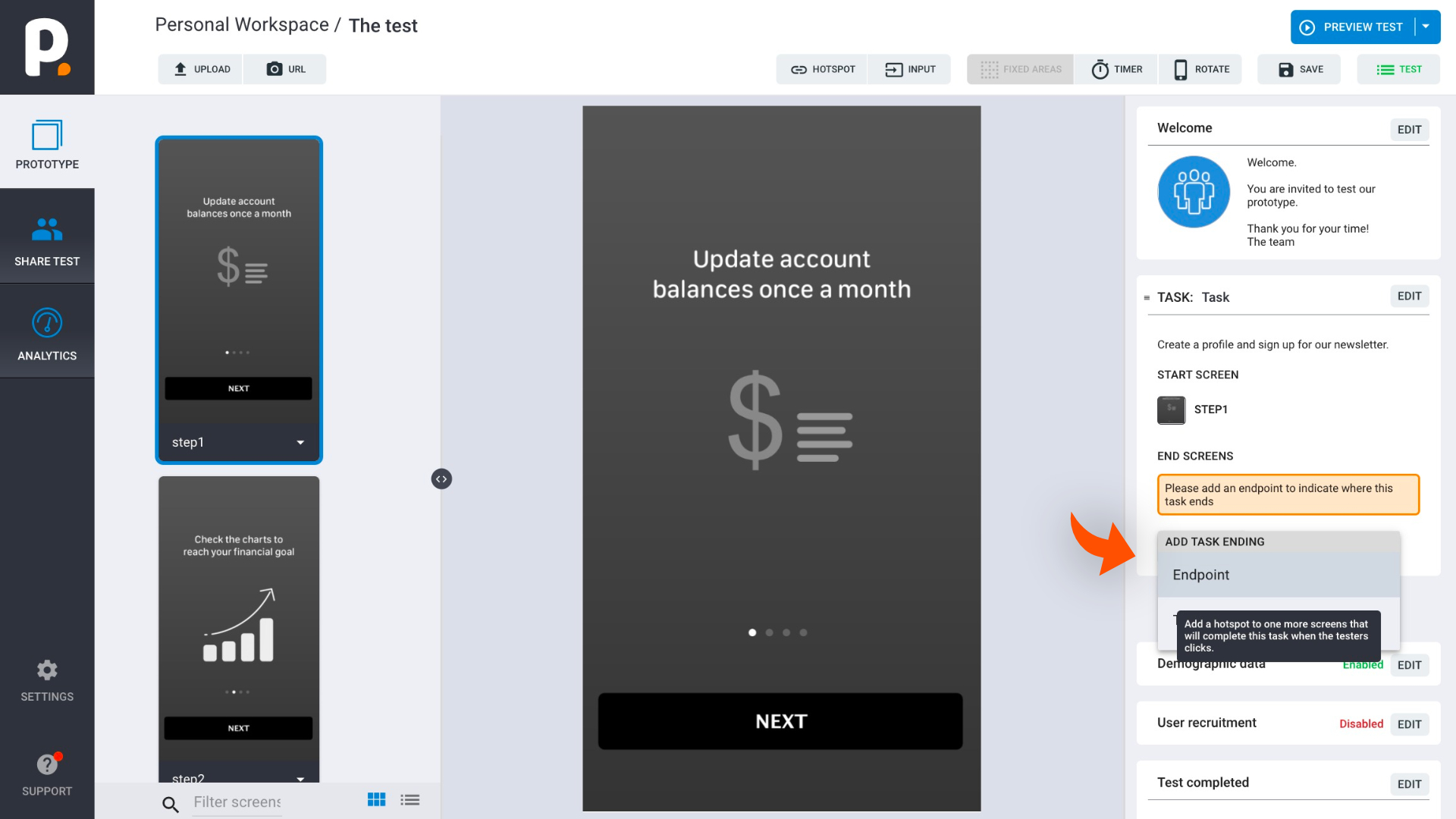
Preely setup (prototype + task)
Task: Imagine you are looking at a trade union's webpage for salary guidance. Try to find that content.
Question: How easy was it to find salary guidance? Feedback: Rating + free comment
Results
The score shows that it was not obvious where to find it as the testers rated it rather low.
Total score 2,7 out of 10 = fairly low
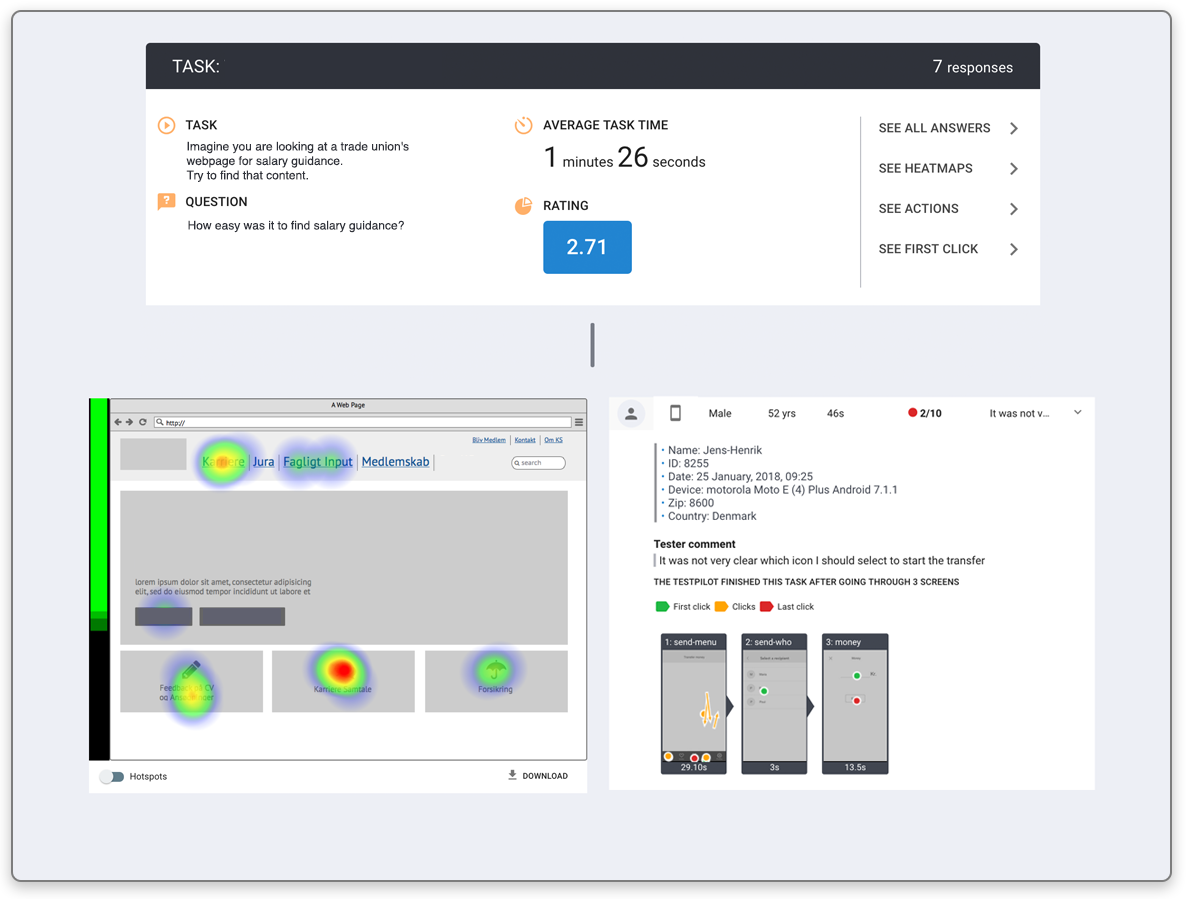
Heat maps illustrate where testers clicked to find the content.
It shows that it was not obvious where to find it as the testers clicked various places.
The screen statistics illustrate how much time testers are spending on a page in total and before they take their first action. In this case they spent fairly long time before clicking.