Imagine working on your InVision prototype, and with a few clicks being able to set up a navigation test, that will allow you to iterate and improve your UX design quickly. Well, this is exactly what you can do.
Step 1.
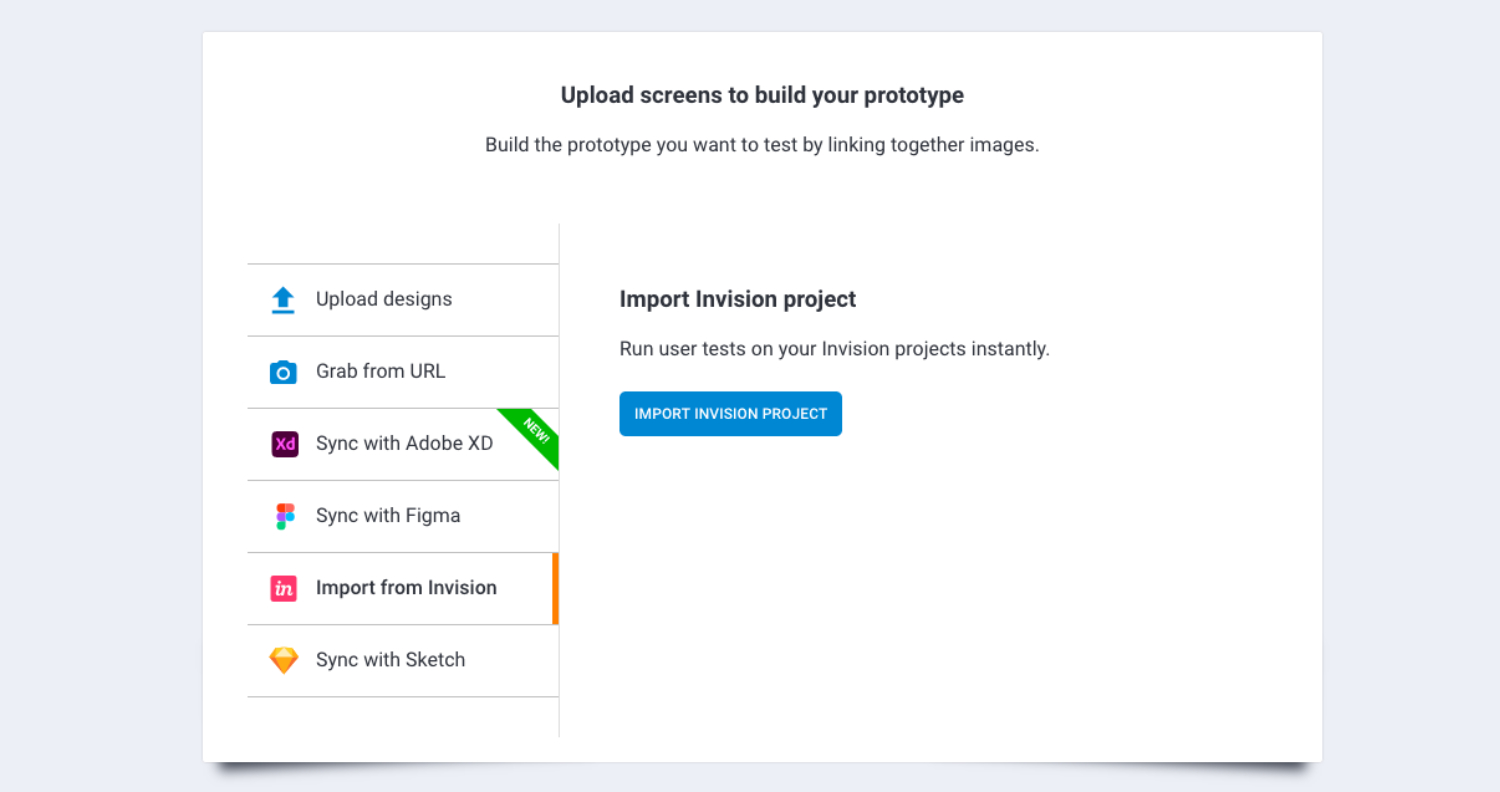
From the start screen, click “create test,” choose a native device to test on, and import a InVision protototype.
Step 2.
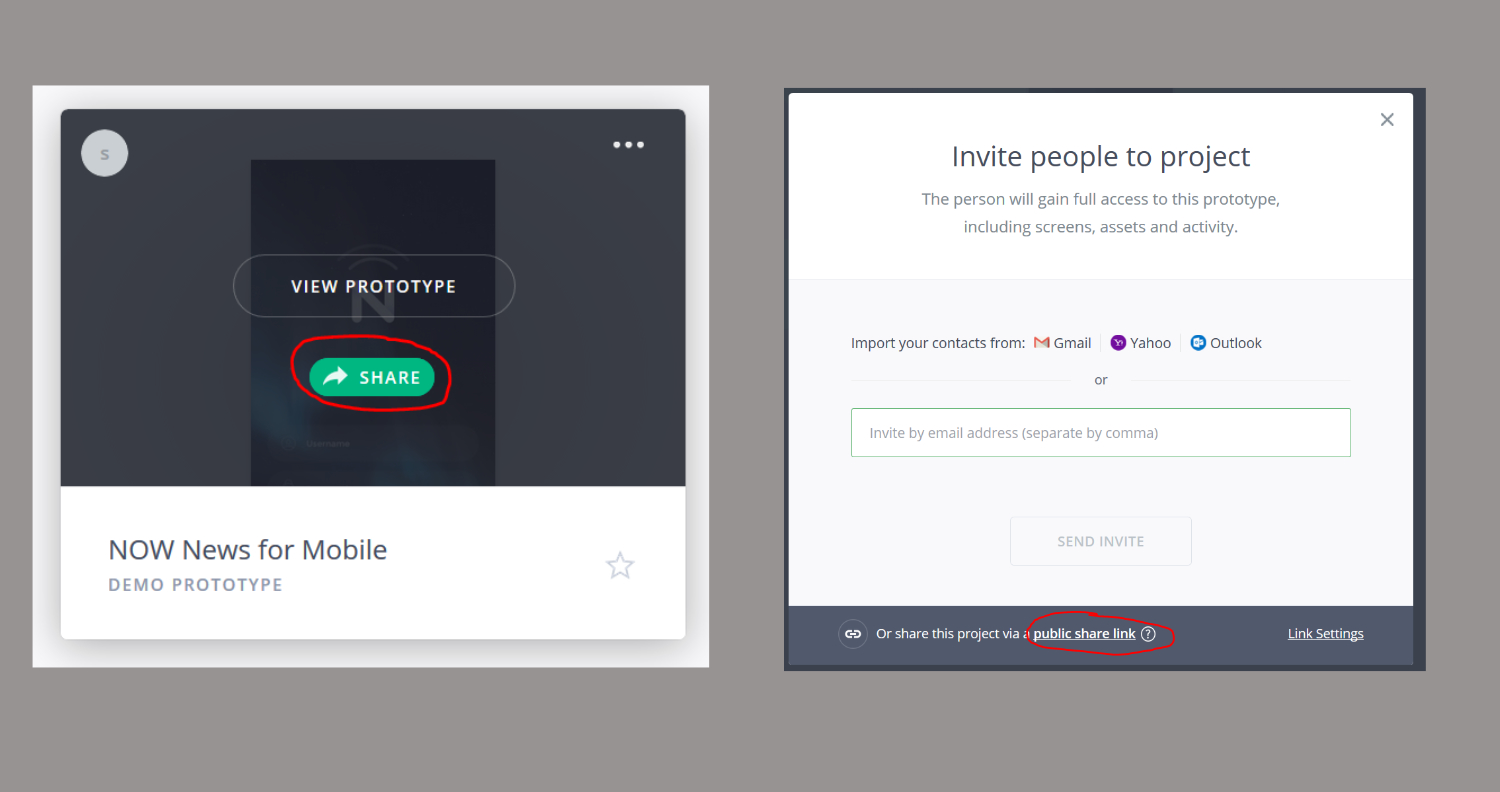
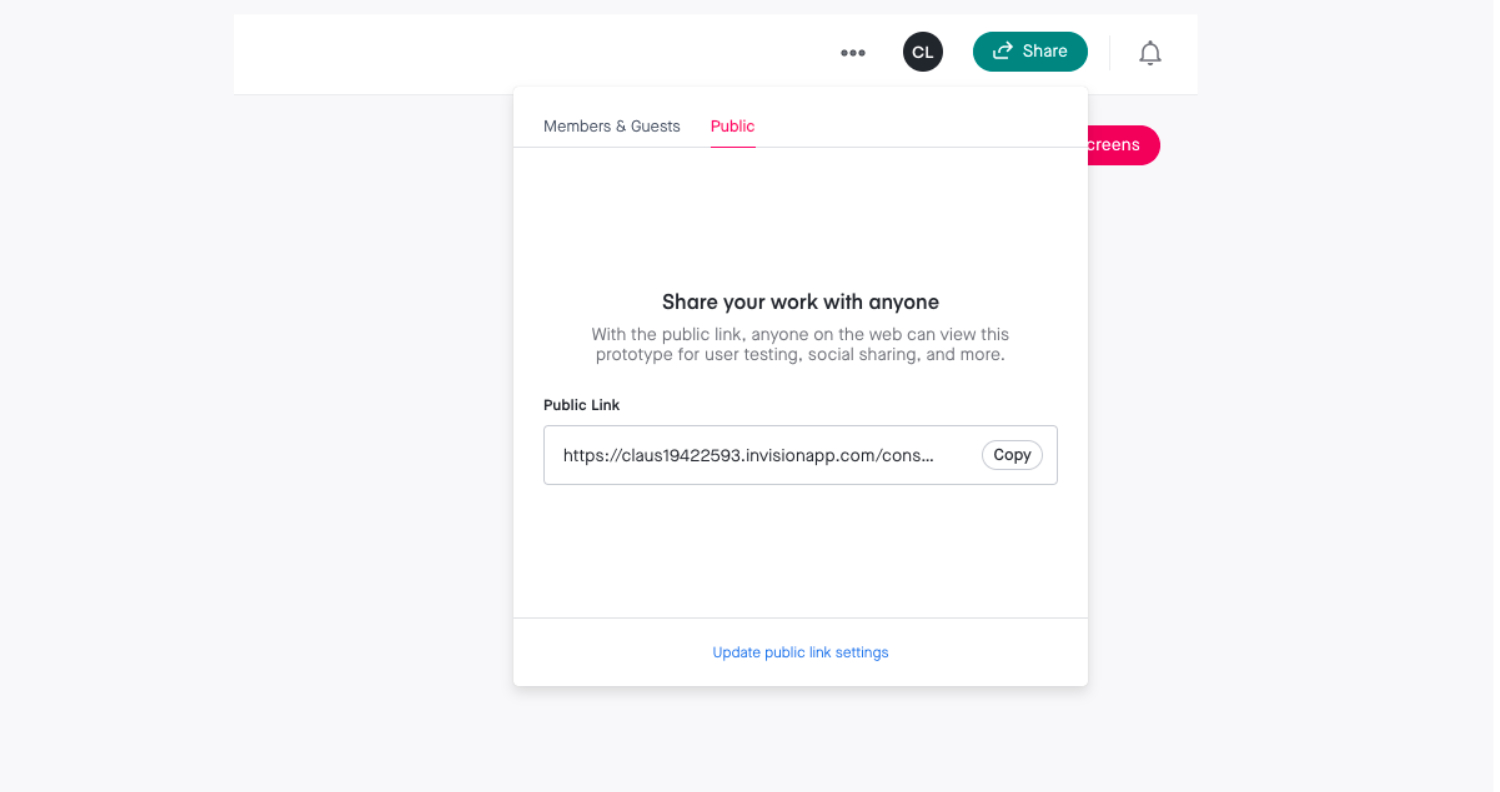
Copy public share link from InVision Cloud.
Step 3.
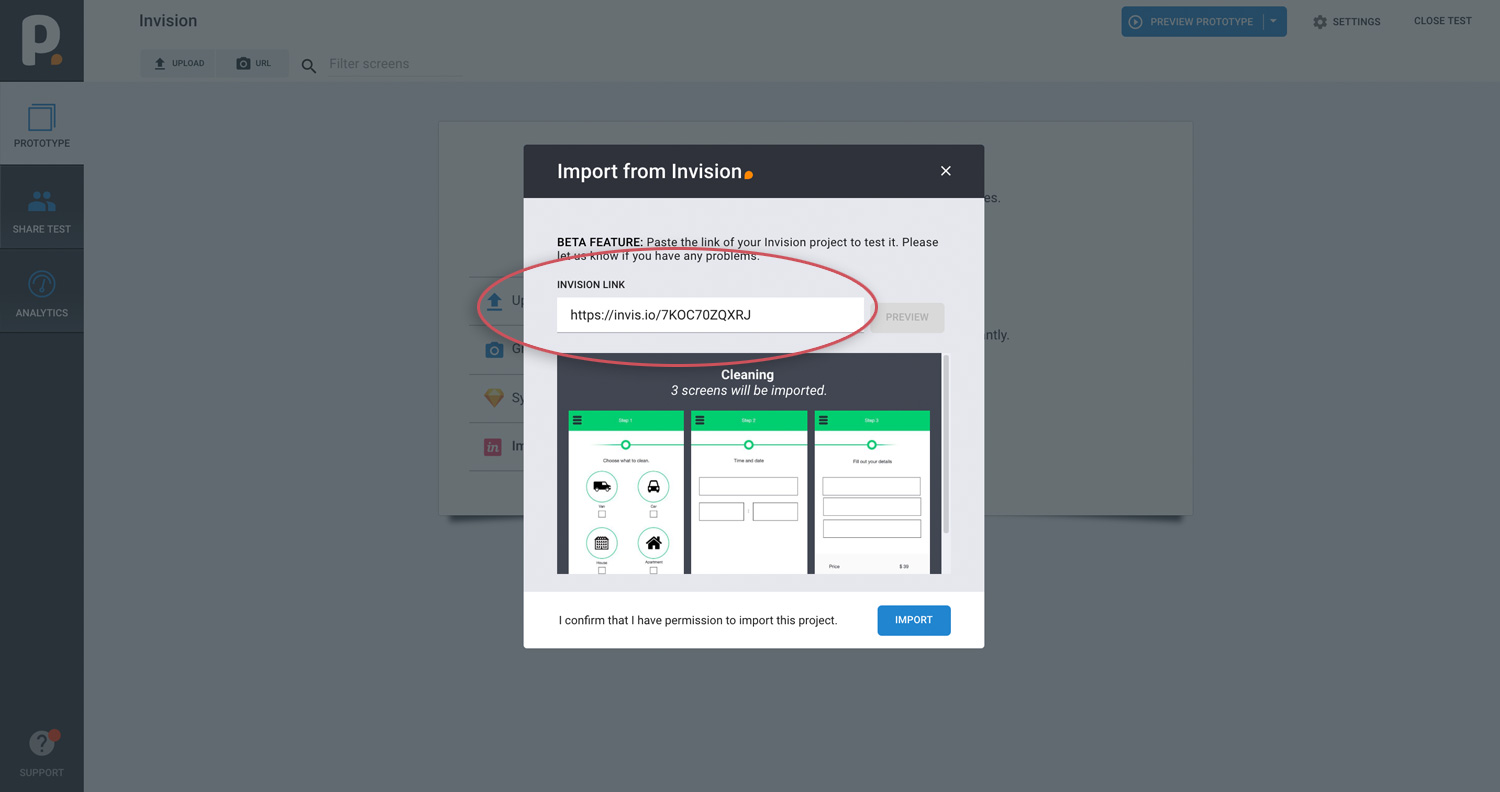
Paste link to your InVision prototype and click import.
Unfortunately we do not support Invision Studio projects.. We do support the original prototypes that can be created using Invision Cloud tools.