When users get their first click right on your digital product, their chance of completing your intended flows and tasks doubles.
In a first-click test, the first click of multiple test participants is collected to analyze if your users can find what they are looking for and if they can navigate your website, app or other digital products.
Using this information, you can start improving user flows and positioning of navigation items to create a smooth and intuitive experience for your users.
Step-by-step guide to setting up a test with Preely
Step 1.
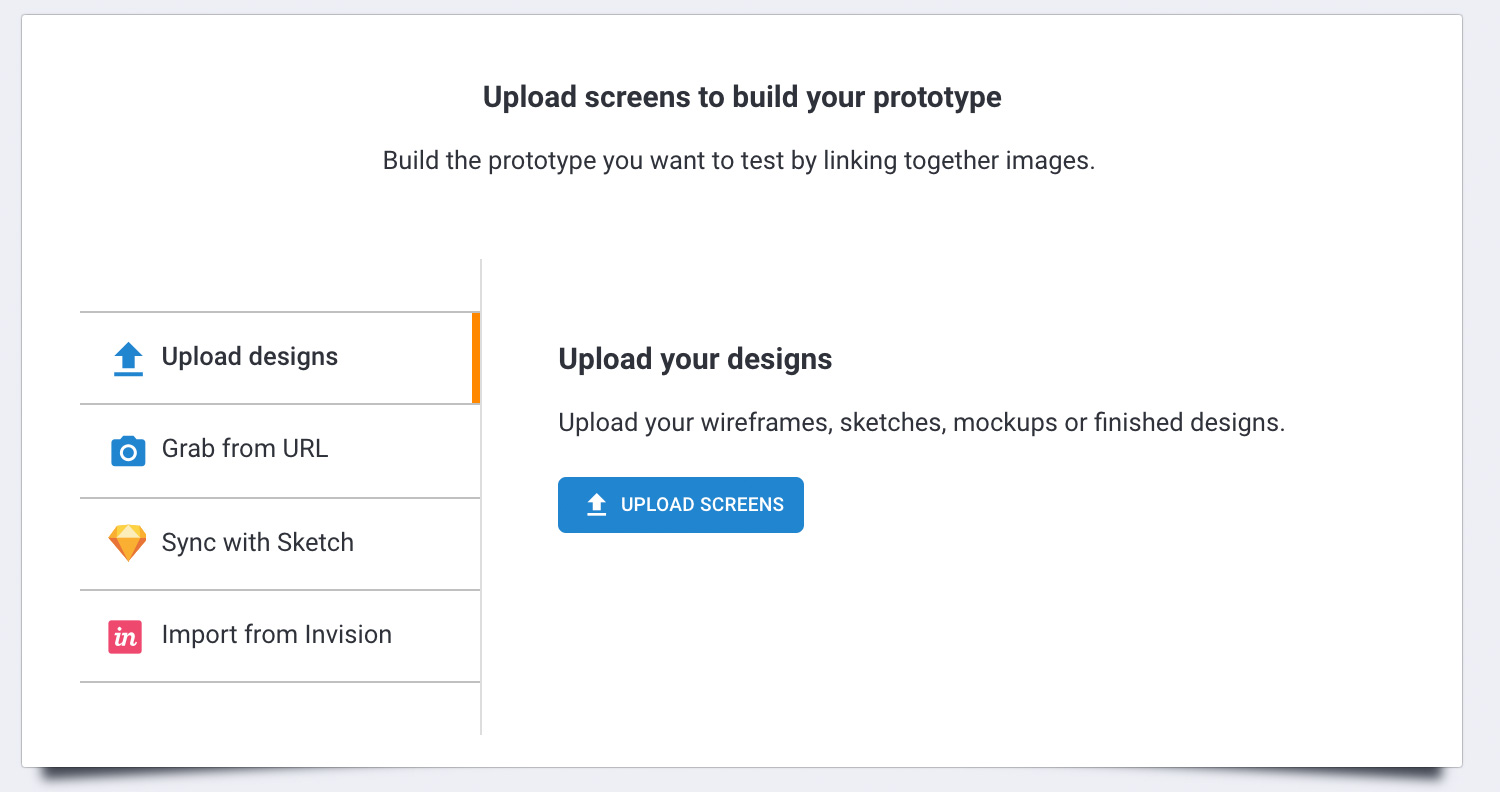
From the start screen, click “create test,” choose a native device to test on, and upload the screenshot, wireframe, mockups or other images you intend to test on.
Step 2
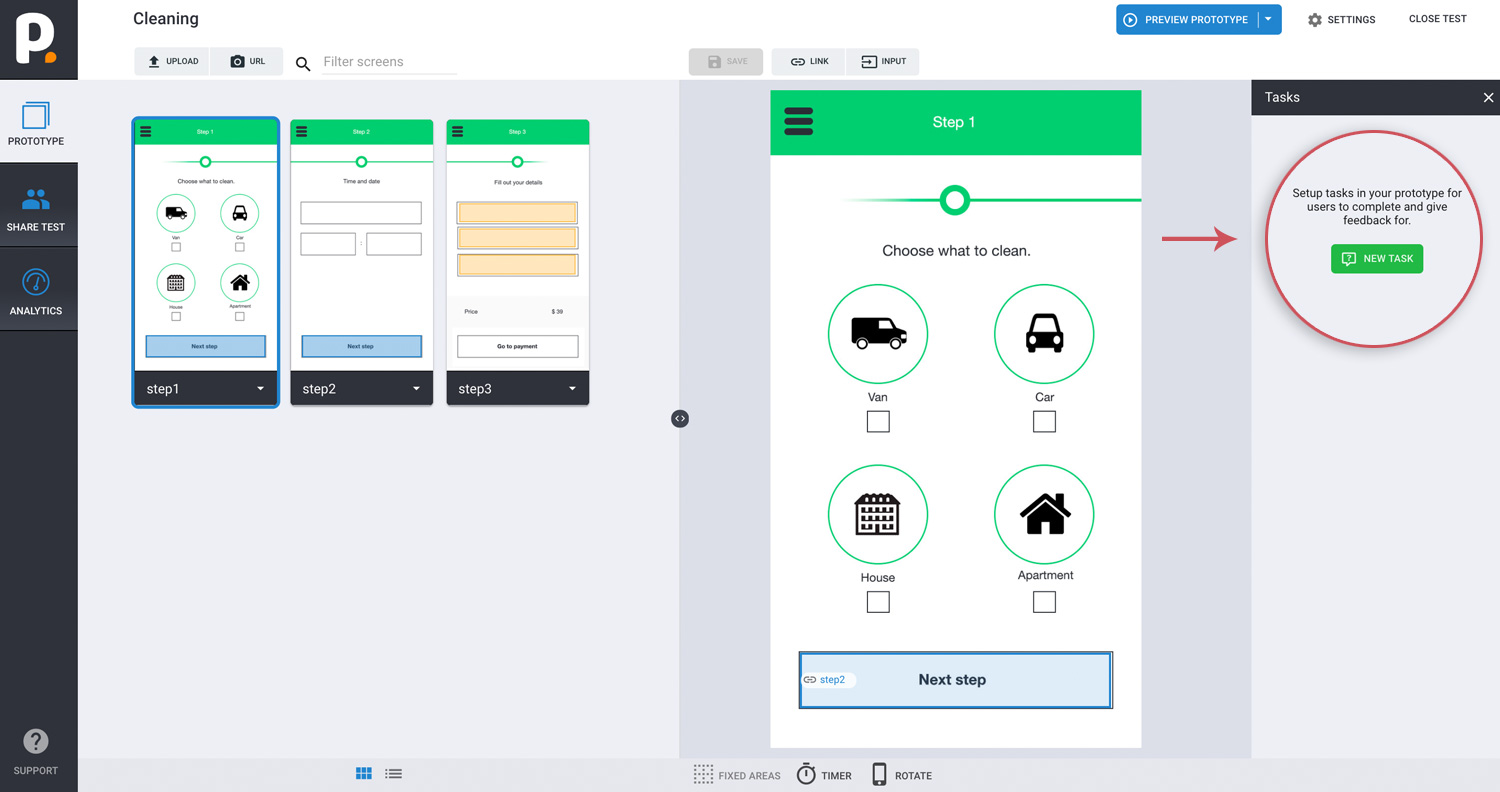
Click add task, fill out task-related questions in step 1-2, and choose the type of feedback you would like.
Step 3
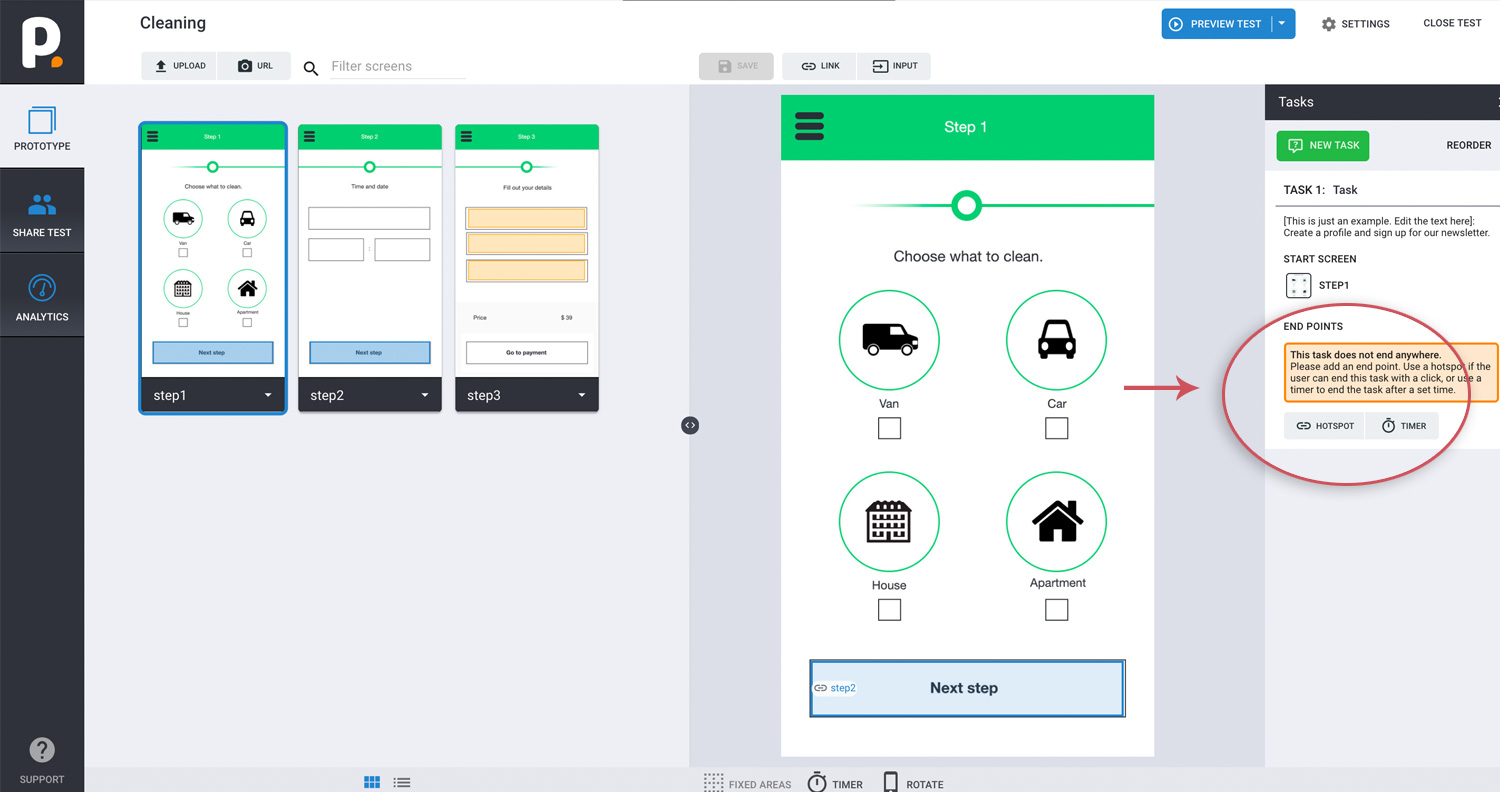
In step 3, choose trigger type: timer, and set the timer for 5 seconds (can be adjusted for your needs).
First-click data and feedback analysis
Actions
The action sections highlight all clicks and swipes on your different screens.
It also gives you the opportunity to filter between clicks: first, last, and all.
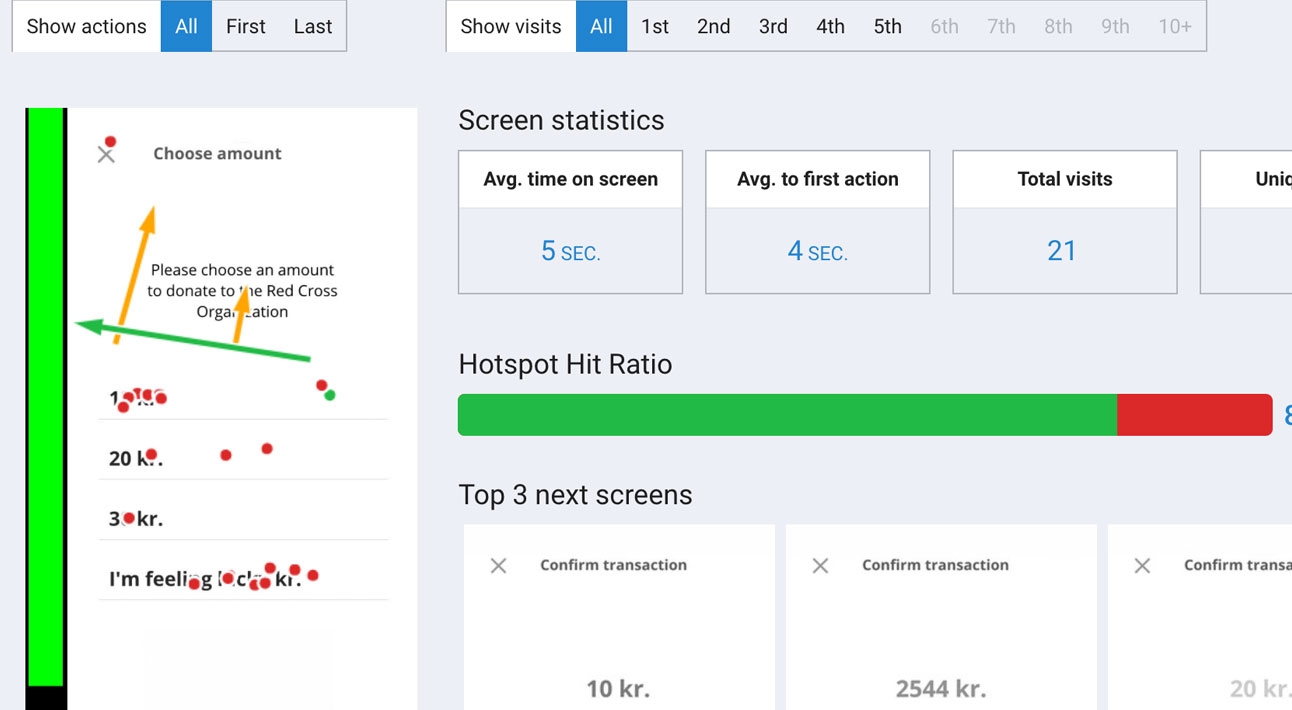
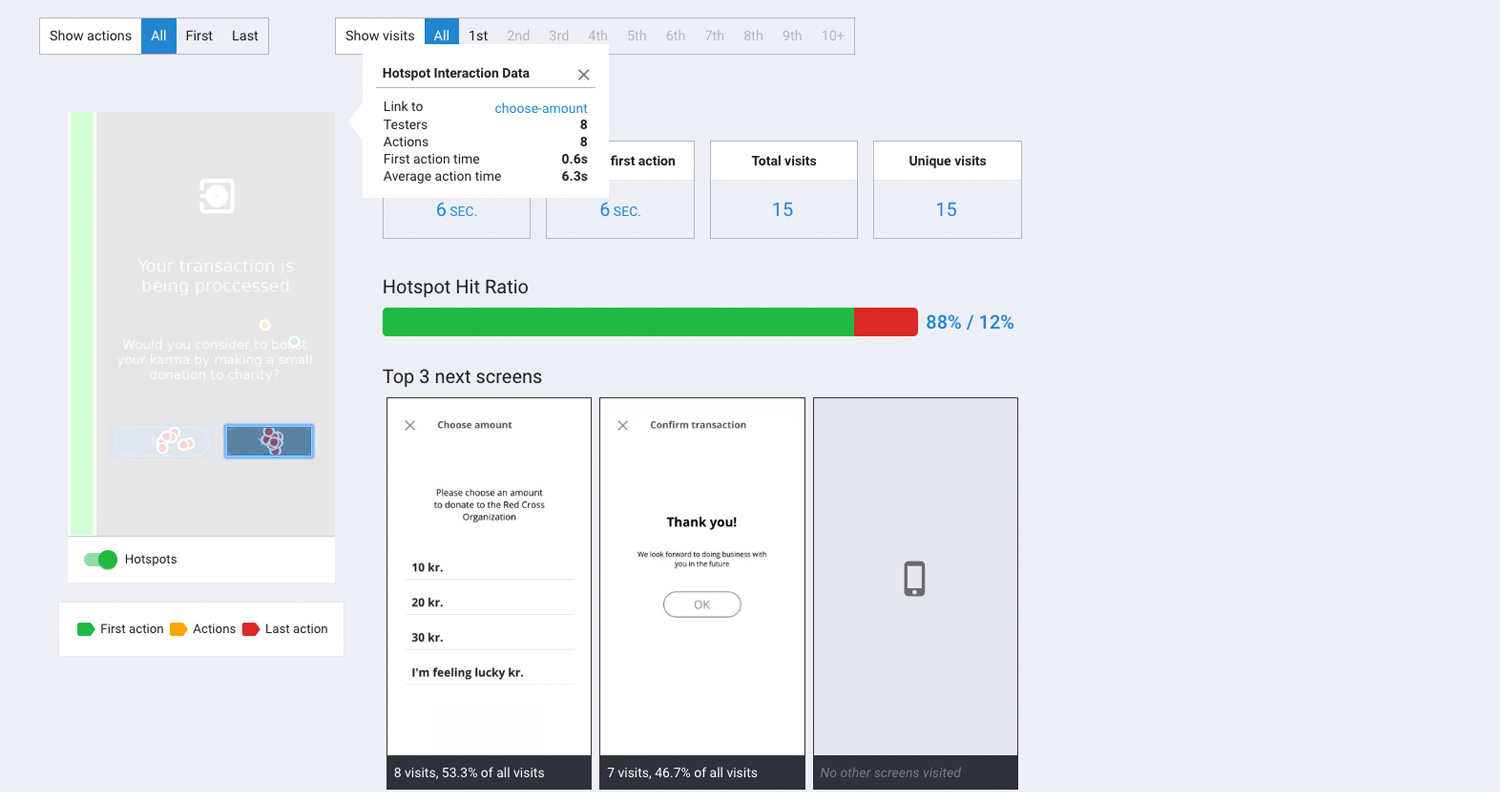
This gives you a good identification of how easy it was for your users to find the hotspots, and how many attempts it takes for them.