To enable feedback in a test, an end point must be inserted. A hotspot can be inserted or you can use timer. It can also be a combination.
Different between Hotspot and Timer
And a green hotspot is automatically added to your screen. Clicking the hotspot will terminate the test and ask the test participant for feedback. Insert as many endpoints as you what.
Use a timer to end the task after a set time. The task will automatically stop the task.
Example:
The test person lands on the last page of a purchase flow that marks the end of the task. Here it makes sense both to insert a hotspot and use timer to ensure that feedback is activated.
Choose screen and insert Endpoint
- Choose the end screen in your prototype.
- Choose End point hotspot or Timer.
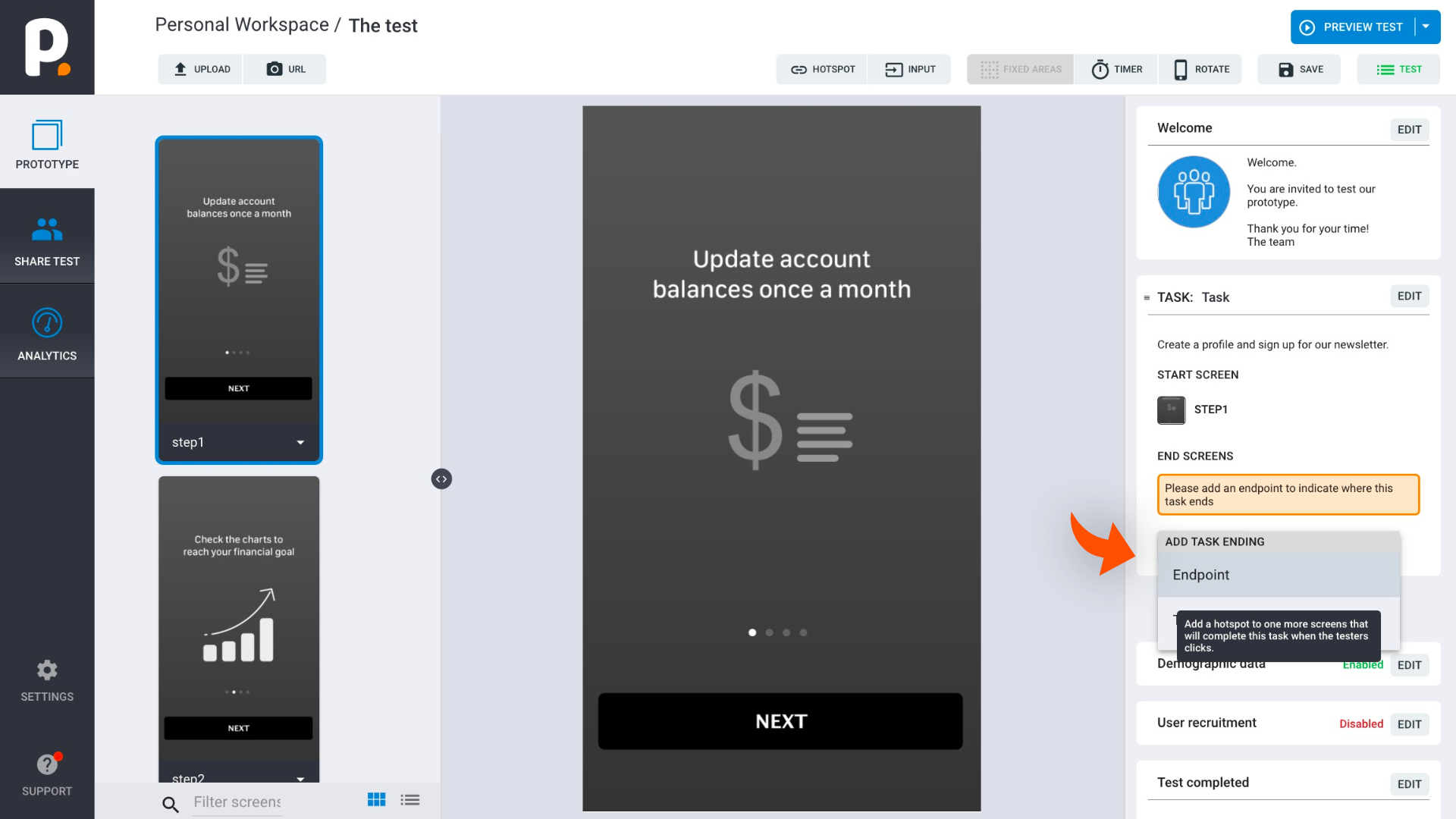
And a green hotspot is automatically added to your screen.
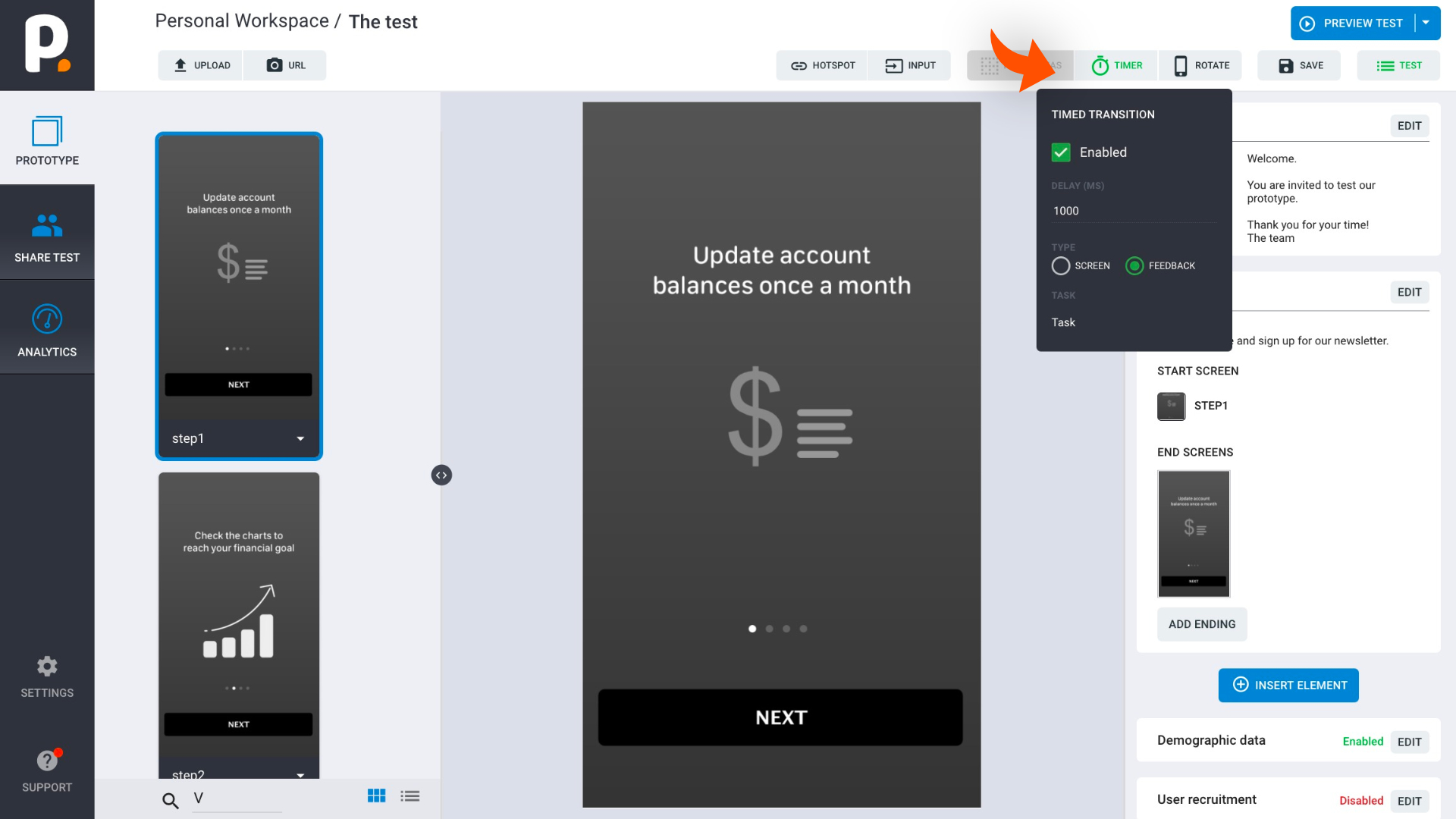
Insert as many endpoints in your prototype as you what!
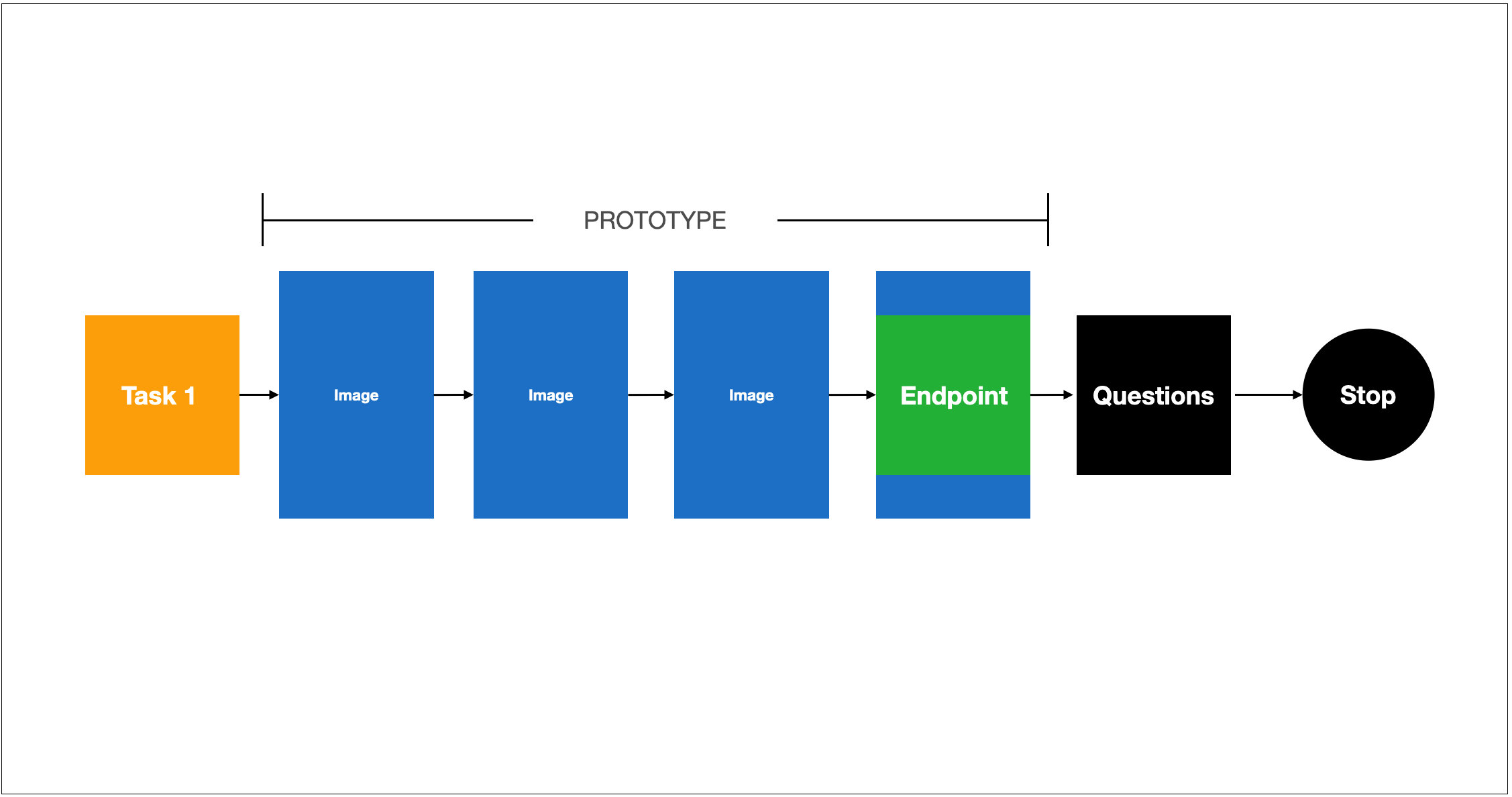
Exsample A - one endpoint
- Task 1
- Prototype
- One endpoint (hotspot, Timer or both)
- Stop test
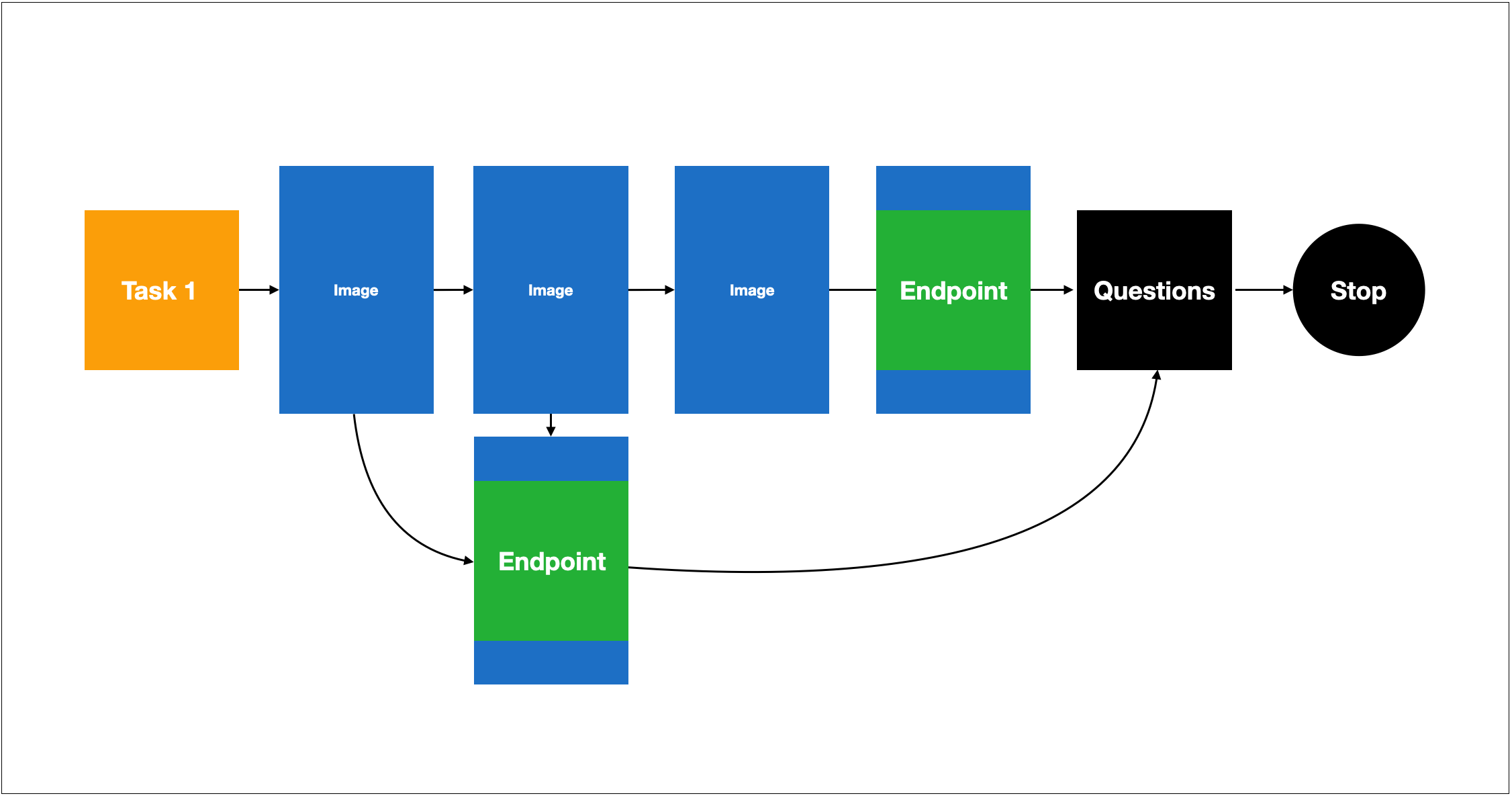
Exsample B - multiple endpoints
- Task 1
- Prototype
- Multiple endpoints (hotspot, Timer or both)
- Stop test
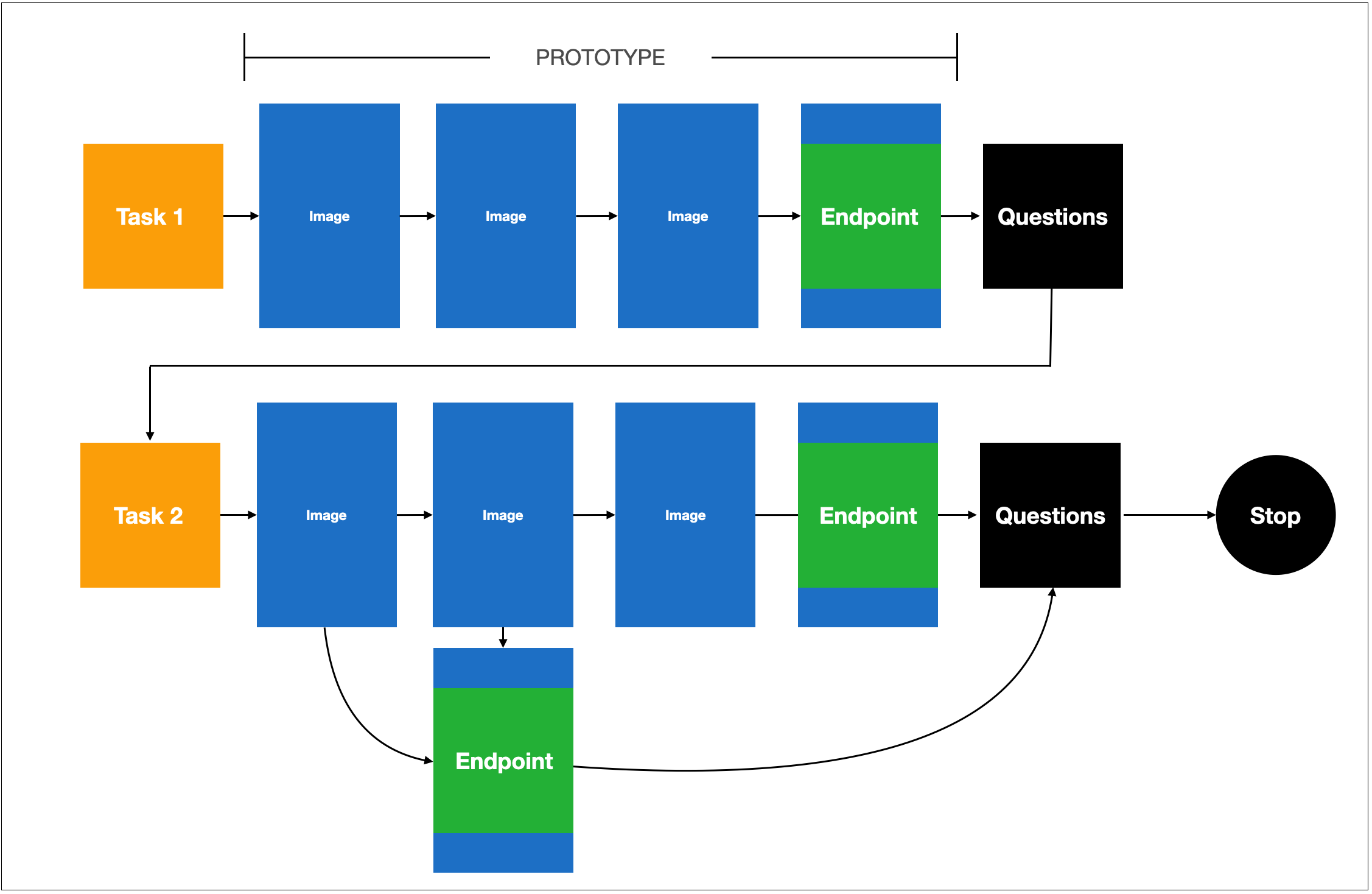
Exsample C - 2 tasks and multiple endpoints
- Task 1
- Prototype
- Multiple endpoints (hotspot, Timer or both)
- Task 2
- Continue prototype
- Stop test